The iPhone X, pronounced "iPhone 10," was introduced at Apple's September 2017 event as a classic "One more thing..." addition to the iPhone 8 and 8 Plusproduct lineup. According to Apple, the iPhone X represents the biggest technological leap forward since the original iPhone was introduced 10 years ago in 2007, and it sets the path for the next decade of iPhone development.
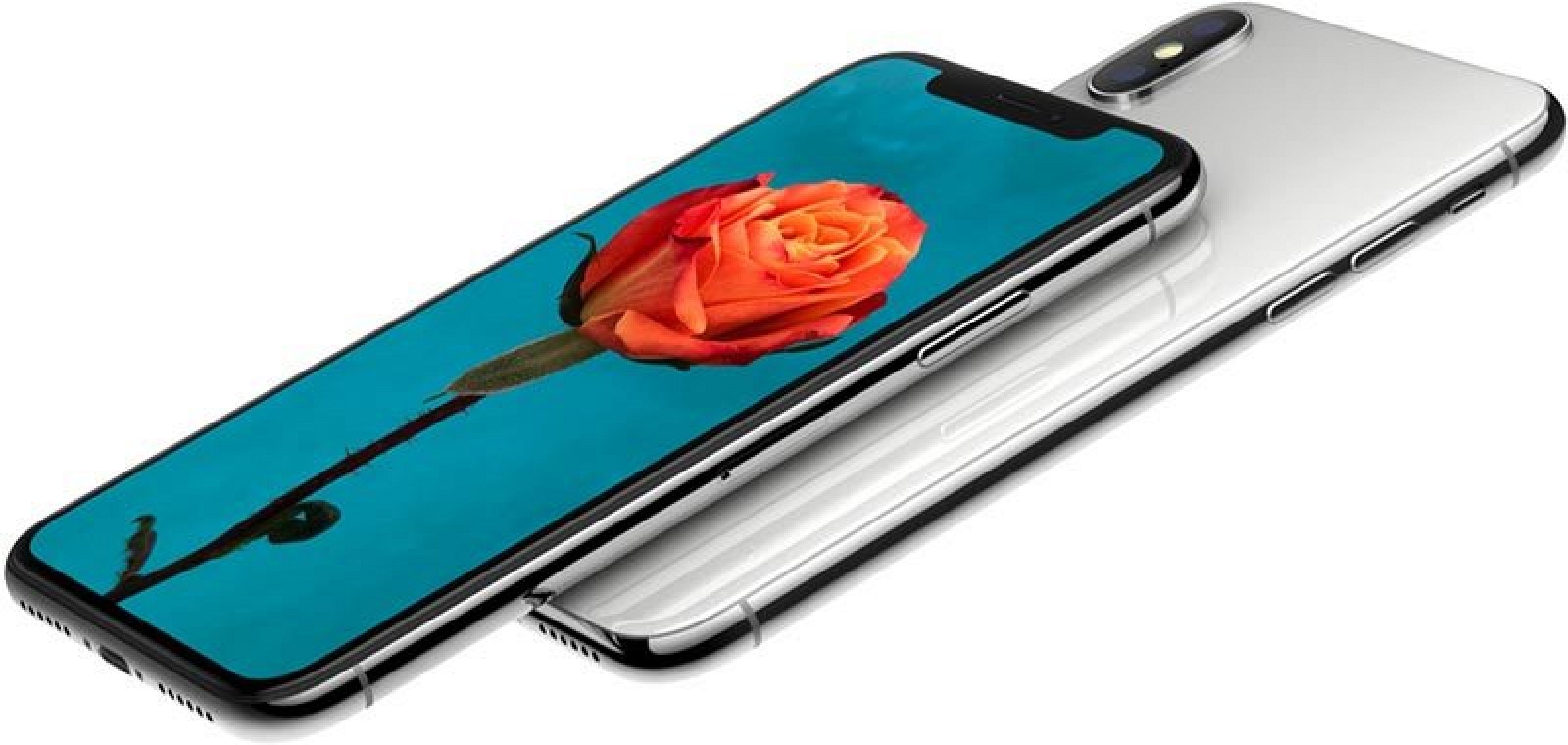
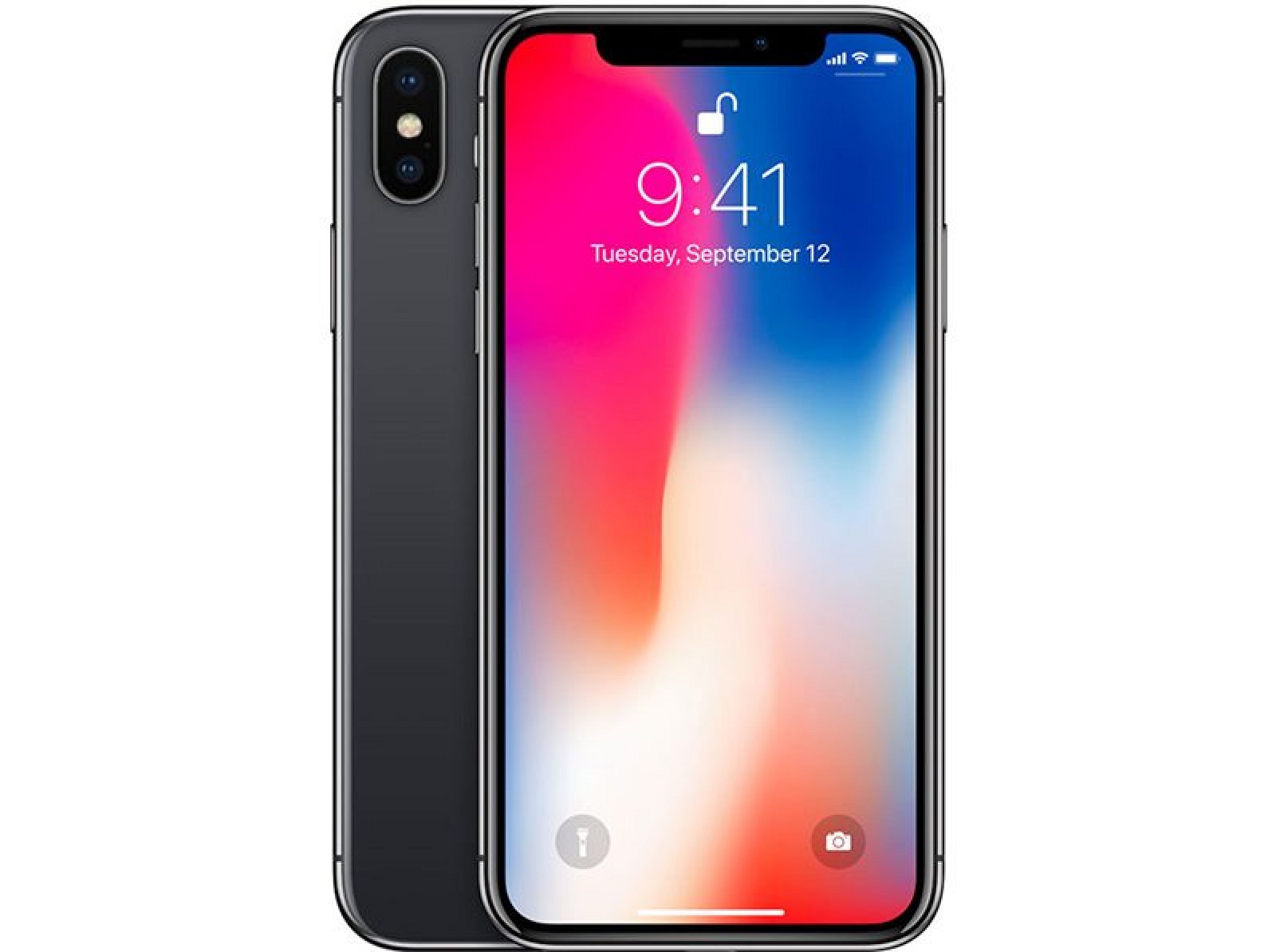
Apple's aim with the iPhone X was to create an iPhone that's all display, blurring the line between physical object and experience. The 5.8-inch front screen melts into a highly polished curved-edge stainless steel band encircling a durable all-glass body available in two pearlescent finishes: Space Gray and Silver. Both feature a black front panel.
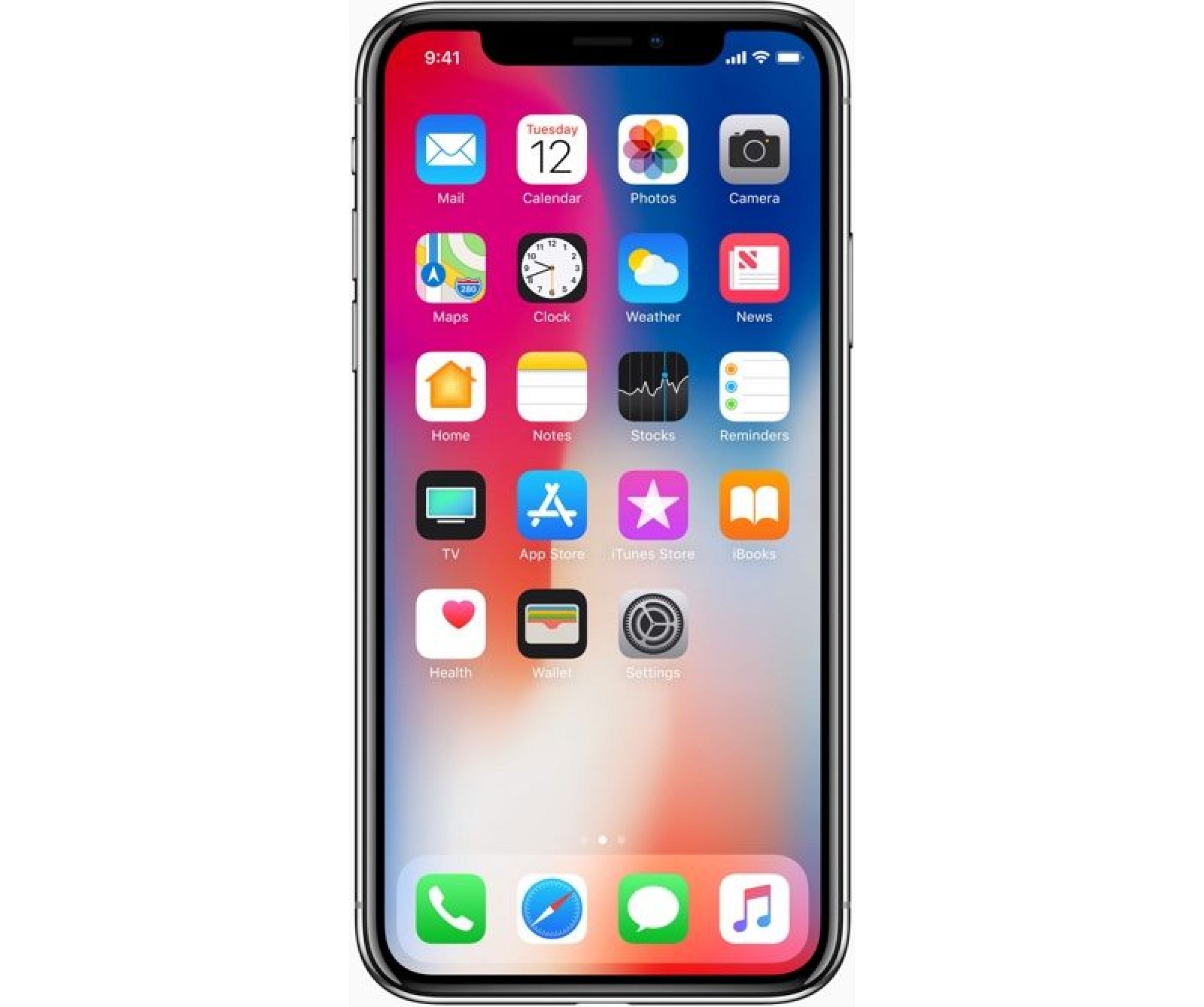
The edge-to-edge top-to-bottom Super Retina display adopts OLED technology for true-to-life colors, deep blacks, and a million-to-one contrast ratio. It features a 2436 x 1125 resolution and 458 pixels per inch, the highest resolution and pixel density ever introduced in an iPhone. It supports HDR, wide color, 3D Touch, and True Tone for adjusting the white balance of the display to match the ambient lighting.
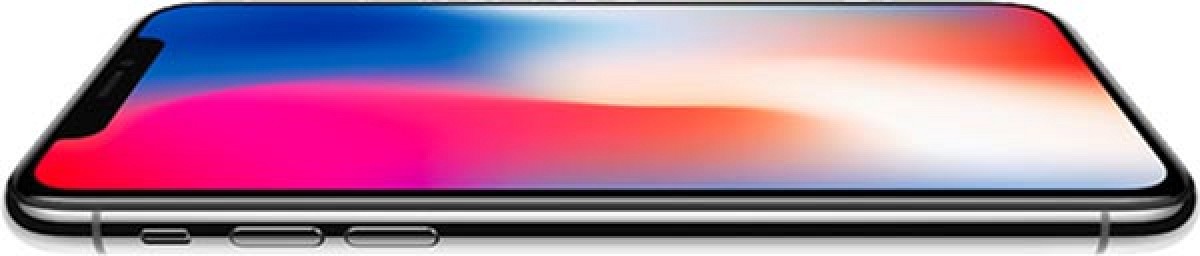
At 5.8 inches diagonally, the iPhone X has the largest display introduced in an iPhone yet, but with no bezels aside from a notch housing the camera and sensors, it fits comfortably in the hand. At 143.6mm tall by 70.9mm wide by 7.7mm deep, it's not much bigger than an iPhone 8, and it's smaller than an iPhone 8 Plus.
The glass body of the device is IP67 water and dust resistant and it enables support for inductive wireless charging for the first time. The iPhone X adopts the Qi wireless standard and can charge through the glass back using any Qi-certified charging accessory. Apple is making an "AirPower" accessory to charge iPhone X, Apple Watch Series 3, and AirPods simultaneously, but it won't be out until later in 2018.
With an edge-to-edge design, there is no room for a Home button, so the iPhone X adopts a new user experience. A swipe up at the bottom of the screen brings up the Home screen, while a swipe and a hold brings up App Switcher. There's a Tap to Wake feature for looking at notifications, the side button can be pressed and held to activate Siri, and the Control Center is accessed by swiping downwards from the top status bar.
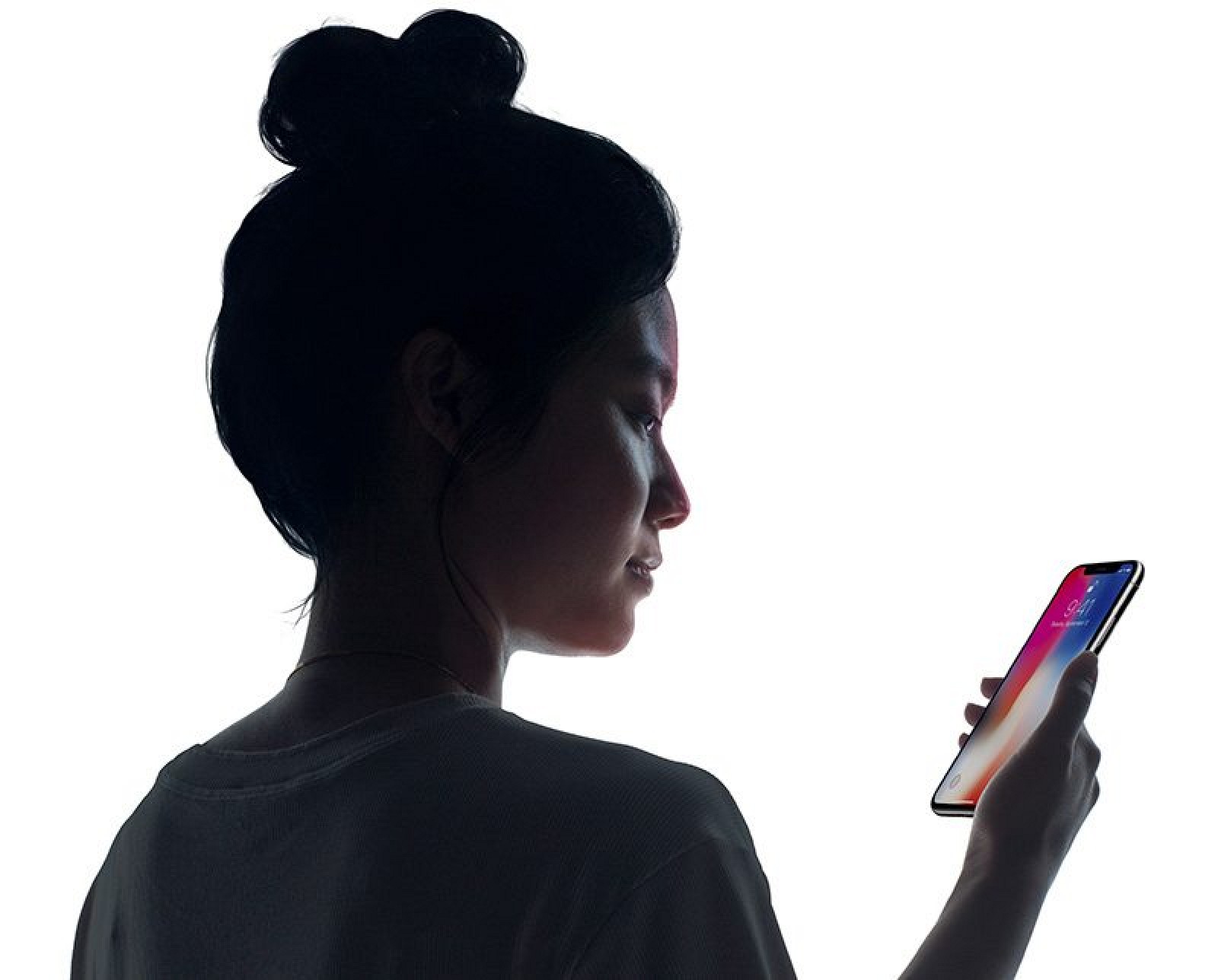
No Home button also means no Touch ID, so unlocking the device is done with a new Face ID facial recognition system. Face ID uses the TrueDepth front-facing camera system to create a 3D map of your face that's used much like a fingerprint for unlocking the iPhone, authenticating Apple Pay purchases, making App Store purchases, and accessing passcode protected apps.
Face ID uses infrared camera technology so it works in the dark. It also uses machine learning and detects your face with hats, glasses, beards, and other objects obscuring your face. Because it uses a 3D map of the face, Face ID cannot be fooled by photos, masks, or other facial replicas. As an added layer of security, Face ID is "attention aware" and unlocks your iPhone only when you're looking at it.
Face ID is powered by a state of the art dual-core neural engine built into the new A11 Bionic chip, data stored in the Secure Enclave and all processing done on-device. The A11 chip includes a total of six cores, with two performance cores and four high-efficiency cores, including the neural engine.
The performance cores are 25 percent faster than the A10, while the high-efficiency cores are 70 percent faster. An upgraded GPU is 30 percent faster, and there's 3GB of RAM in the device.
With a second-generation Apple-designed performance controller, all six cores in the A11 chip can be accessed at the same time, resulting in much improved performance, especially when it comes to multi-threaded workloads. The A11 also features a faster GPU, an Apple-designed image signal processor and video encoder, an A11 motion coprocessor, and the Secure Enclave for Face ID.
With efficiency improvements enabled by the A11 Bionic chip, the iPhone X offers two hours more battery life than the iPhone 7, but the battery falls short of the battery in the iPhone 7 Plus.
The same 7-megapixel TrueDepth camera that powers Face ID enables a new feature called Animoji. Animoji are 3D emoji able to mimic your facial expressions. The TrueDepth camera tracks more than 50 facial muscle movements and translates them to the Animoji, which can be used in the Messages app.
Apple's TrueDepth camera also introduces Portrait Mode for the front-facing camera and enables Portrait Lighting, a new feature for adjusting the lighting in a portrait image taken by the front or rear camera.
In the back, the iPhone X features a vertical 12-megapixel dual-lens camera arrangement with an f1.8 wide angle lens and an f/2.4 aperture telephoto lens. Both lenses support optical image stabilization and have improvements like a new color filter, deeper pixels, better low light zoom, and improved video stabilization. Between the cameras, there's a new quad-LED True Tone flash.
With the individually calibrated cameras, a new accelerometer and gyroscope, tuning for ARKit, and the powerful A11 chip, the iPhone X has been designed for a better augmented reality experience. Developers can take advantage of both the rear camera and the TrueDepth camera to create unique AR apps with unparalleled face tracking capabilities.
iPhone X is available with either 64 or 256GB of storage. The 64GB model is priced at $999, while the 256GB model is priced at $1,199. Apple began accepting pre-orders for the device on Friday, October 27 ahead of an official November 3 launch date.
The iPhone X is Apple's new high-end flagship device, but it is being sold alongside two other new devices, the iPhone 8 and the iPhone 8 Plus. Both devices are less expensive, but also lack the redesign and the new Face ID system.
Pricing and Availability
Apple began accepting pre-orders for iPhone X on Friday, October 27. The device's official launch date followed on Friday, November 3 in dozens of first wave launch countries. iPhone X availability expanded to additional countries on November 24, and now the device is available for purchase in most countries around the world.
iPhone X orders placed today in the United States ship out and deliver in just a few days. Retail stores around the world have in-store stock available immediately, and the device is also available from many third-party retailers.
The iPhone X is priced at $999 for the 64GB configuration and $1,149 for the 256GB configuration.

For customers who use the Apple Upgrade Program, the iPhone X costs $49.91 per month for the 64GB model and $56.16 per month for the 256GB model.
As of December 4, 2017, Apple is selling a SIM-free iPhone X that allows you to purchase an iPhone X without choosing a carrier. The SIM-free iPhone X is compatible with all carriers.
Issues
Cold
Some iPhone X users have discovered the iPhone X can become unresponsive in the cold, refusing to recognize some touch input. Apple says there is a bug in the software causing the problem, and the issue was addressed in the iOS 11.1.2 update. Customers experiencing this problem should update to iOS 11.1.2 or later to fix it.
Green Line
A small number of iPhone X users have seen a green line appearing on the display of the OLED device. The issue causes a bright green line to show up on one side of the device, seemingly at random. It's not clear what's causing the line to appear, not whether it's a hardware or a software issue, but Apple has been replacing affected units.
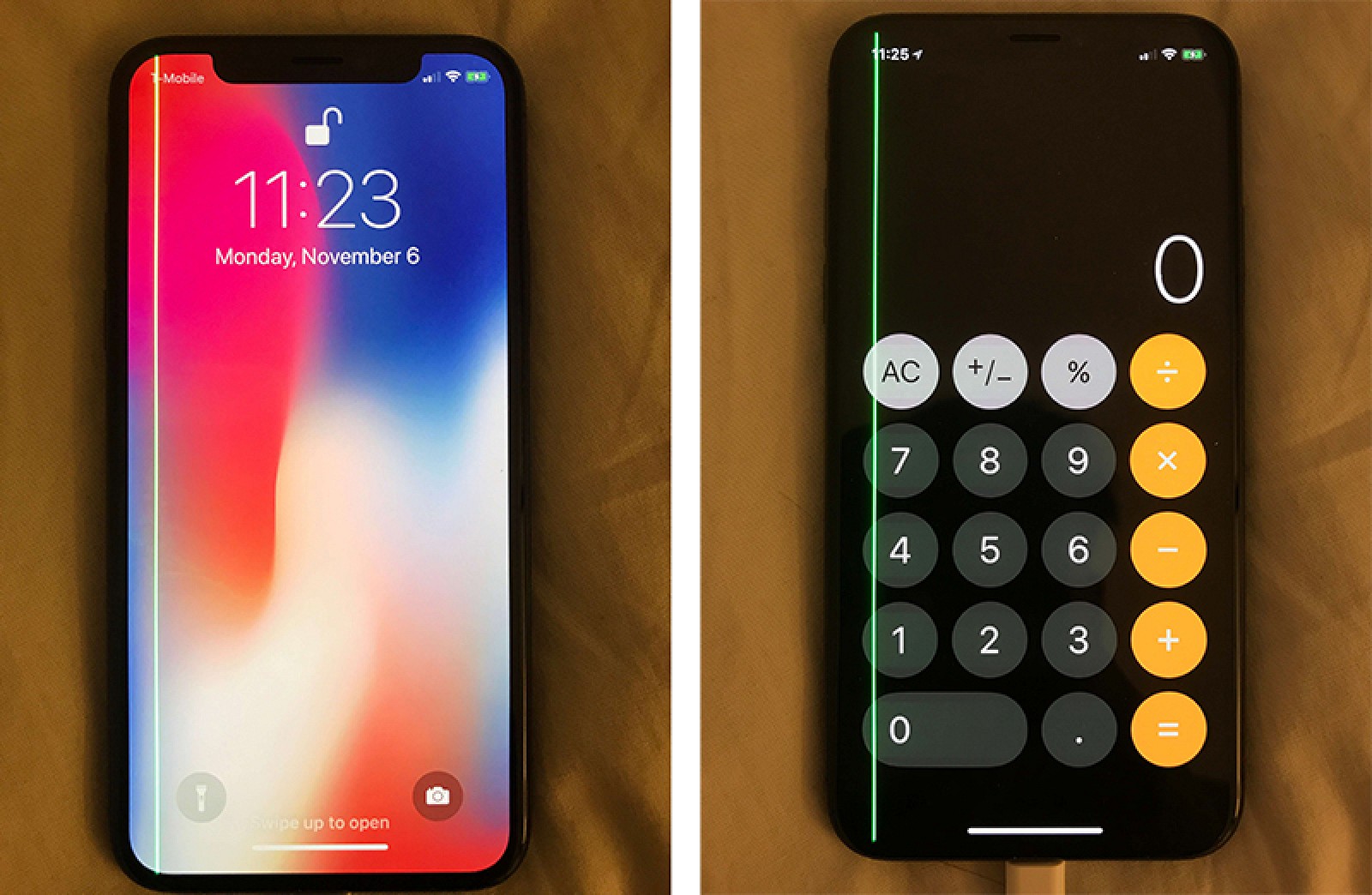
This appears to be an issue affecting only a limited number of iPhone X owners, and Apple has not yet commented on it.
Speaker Crackling
A small number of iPhone X owners have noticed issues with the speaker crackling at loud volumes. There was a similar problem on the iPhone 8 and iPhone 8 Plus that was previously fixed by software updated, but that issue was limited to phone calls. Users who are hearing crackling or static sounds on the iPhone X appear to be hearing it from the earpiece speaker with any high volume sound.
iPhone X Reviews
Reviews of the iPhone X are largely positive, with several reviewers referring to the device as the best iPhone ever made thanks to its edge-to-edge display, sleek design, powerful processor, impressive cameras, and Face ID, which was well received and often accurate for reviewers.
The Verge's Nilay Patel said the iPhone X's display is "polished and tight and clean," but not flawless, with a tiny ridge between the glass back and the chrome frame, a "huge" protruding camera bump, and the notch in the display.
In regard to the notch, which has been a hot topic of discussion, Patel says it "tends to fade away" in portrait mode. In landscape, though, it's "definitely intrusive." Apps need to be optimized to work for the iPhone X, and until they're updated, work in a "software bezel" mode with borders at the top and bottom.
Most reviewers found that Face ID works well, is quick to unlock the phone, and is dead simple to set up. Business Insider said Face ID unlocked the iPhone X reliably in low light, in bright light, and even in a pitch-black closet.
The Wall Street Journal's Joanna Stern also found that it worked in all lighting conditions and with sunglasses and makeup, and it couldn't be fooled by a photograph or even a detailed silicone mask. Identical triplets were, however, able to fool Face ID.
TechCrunch's Matthew Panzarino thought Apple Pay was faster and more natural with Face ID, and autofilling passwords is quicker than ever. He did see Face ID fail, but largely when he wasn't looking at the iPhone X -- it requires eye contact to unlock (but this feature can be disabled in Settings).
Animoji, enabled by the front-facing TrueDepth camera, are "cute" according to CNET, which is about the extent of what reviews had to say about the feature.
No Home button takes some getting used to, according to Mashable's Lance Ulanoff, and there are several new gestures to learn to compensate. The Independent's David Phelan agreed, and said while the change is straightforward, it "takes time to acclimatize."
Popular YouTuber MKBHD found the OLED display of the iPhone X, a first for an Apple product, to be bright, "constrasty," well-calibrated, and not oversaturated like some OLED displays.
As for the rear camera, CNBC's Todd Hasselton said it's better than the camera in the iPhone 8 Plus, while BuzzFeed said the camera is "really good" especially at nighttime, with vivid warm colors in the daytime.
Most reviews thought the iPhone X was worth its price tag as an ultra premium device, but not all people need or want the features that are included, so the decision on whether to purchase comes down to each individual's budget and desired feature set.
More reviews: Digital Trends, Forbes, Washington Post, Financial Post, Pocket-lint, iMore, Above Avalon, The Loop, The Telegraph, SlashGear, and Tom's Guide.
Design
The iPhone X features the first new design Apple has debuted since the iPhone 6 and 6 Plus launched in 2014 with new screen sizes. With the iPhone X, Apple has introduced a display that stretches from edge to edge and top to bottom with minimal bezels for an all-screen design.
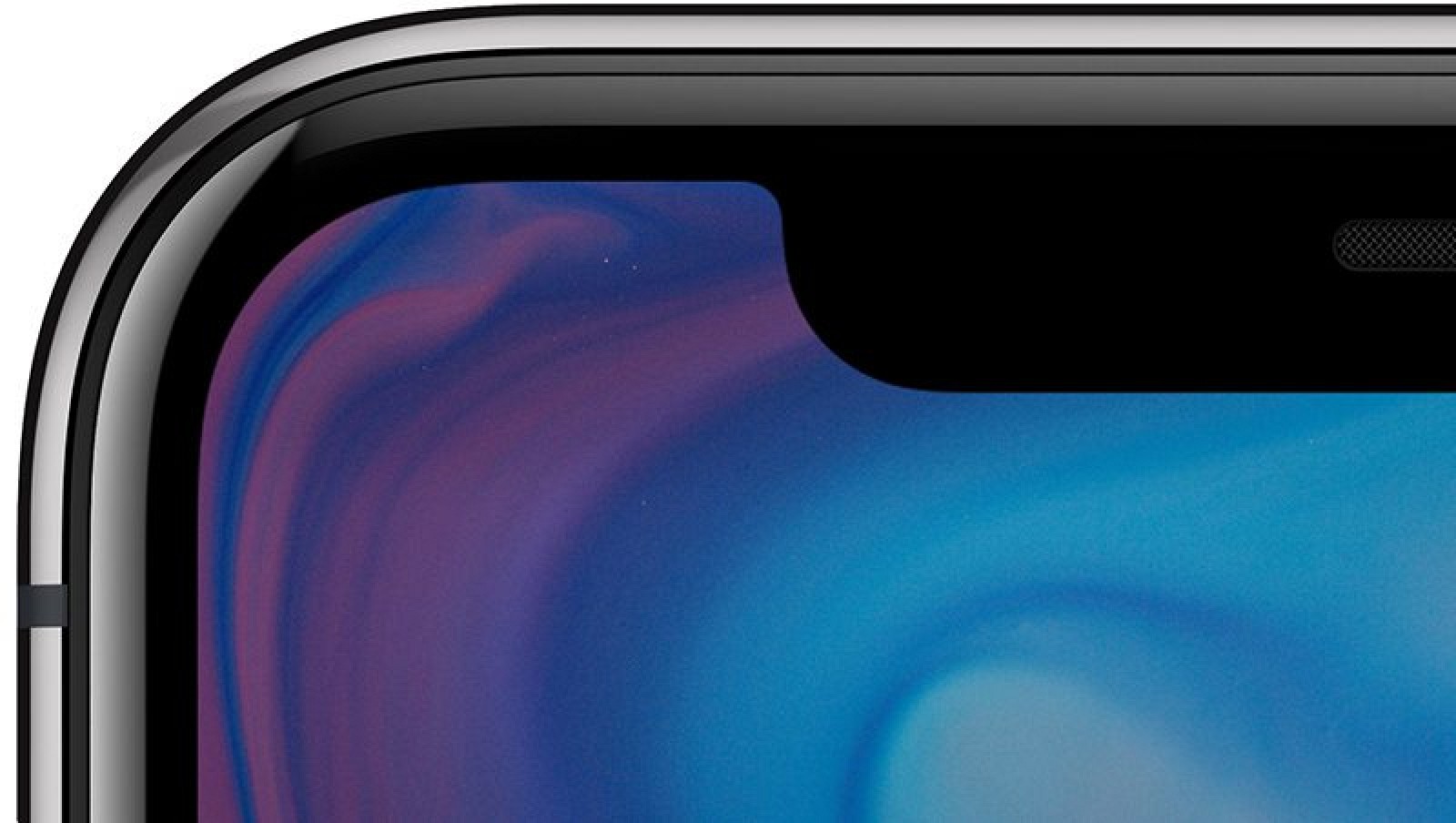
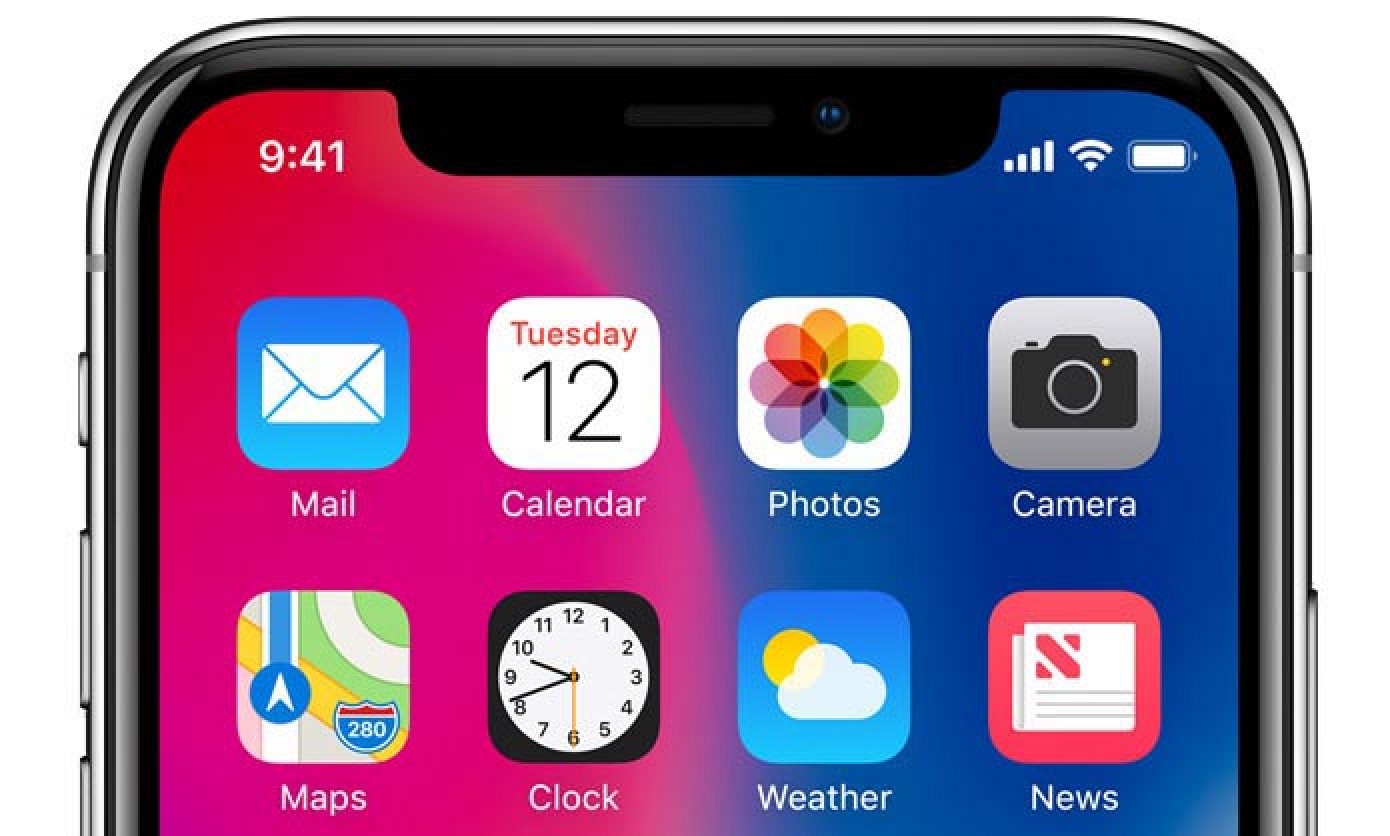
Aside from a slim bezel that wraps around the edges of the device and a front notch that houses the front-facing camera, speaker, and sensors, display is all you see when looking at the iPhone X. There is no bottom bezel, no Home button, and no Touch ID fingerprint sensor.
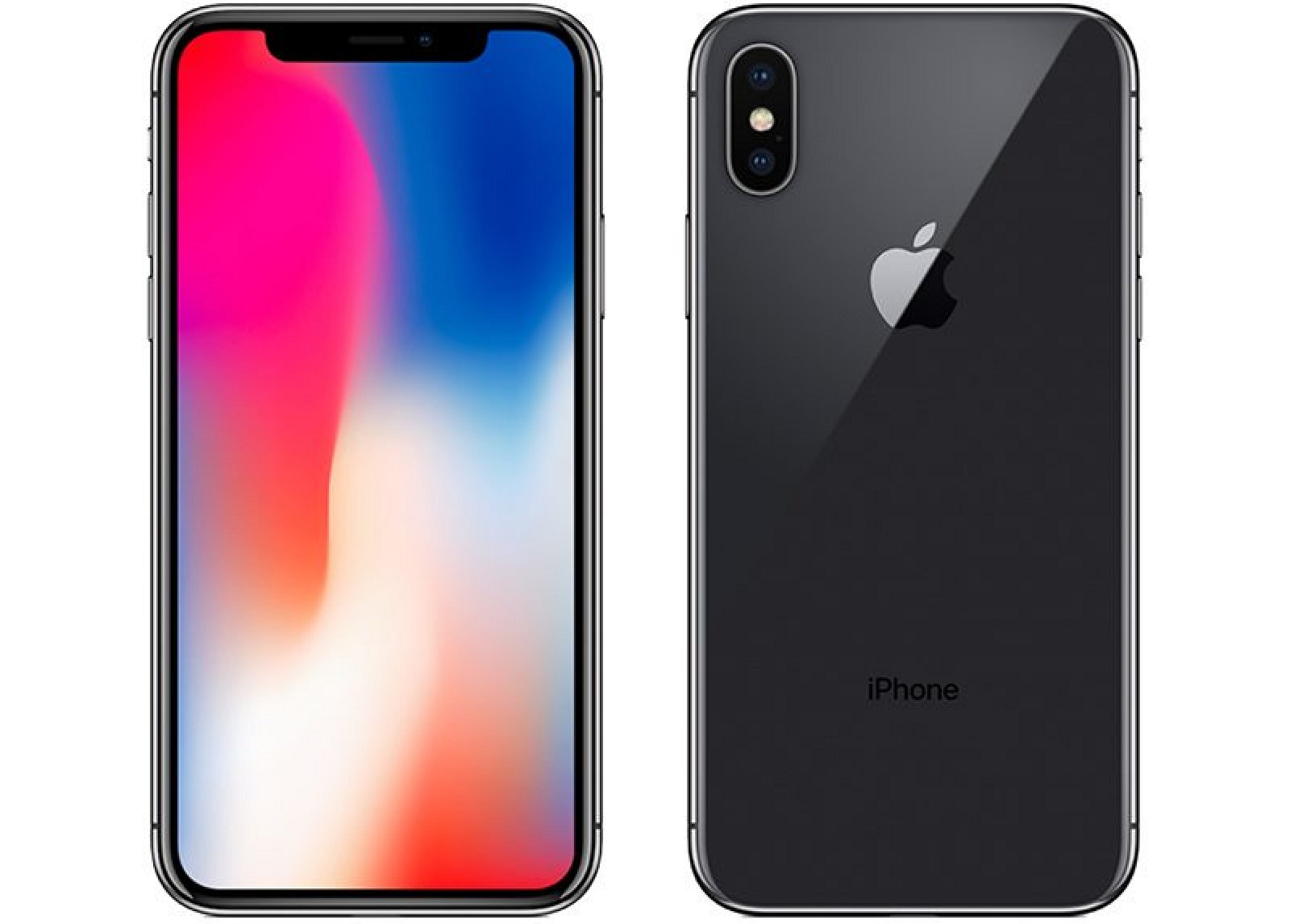
With the elimination of the bezels, Apple has been able to pack a 5.8-inch display into a body that's not much bigger than the iPhone 8. The iPhone X measures in at 143.6mm tall by 70.9mm wide, and it is 7.7mm thick.
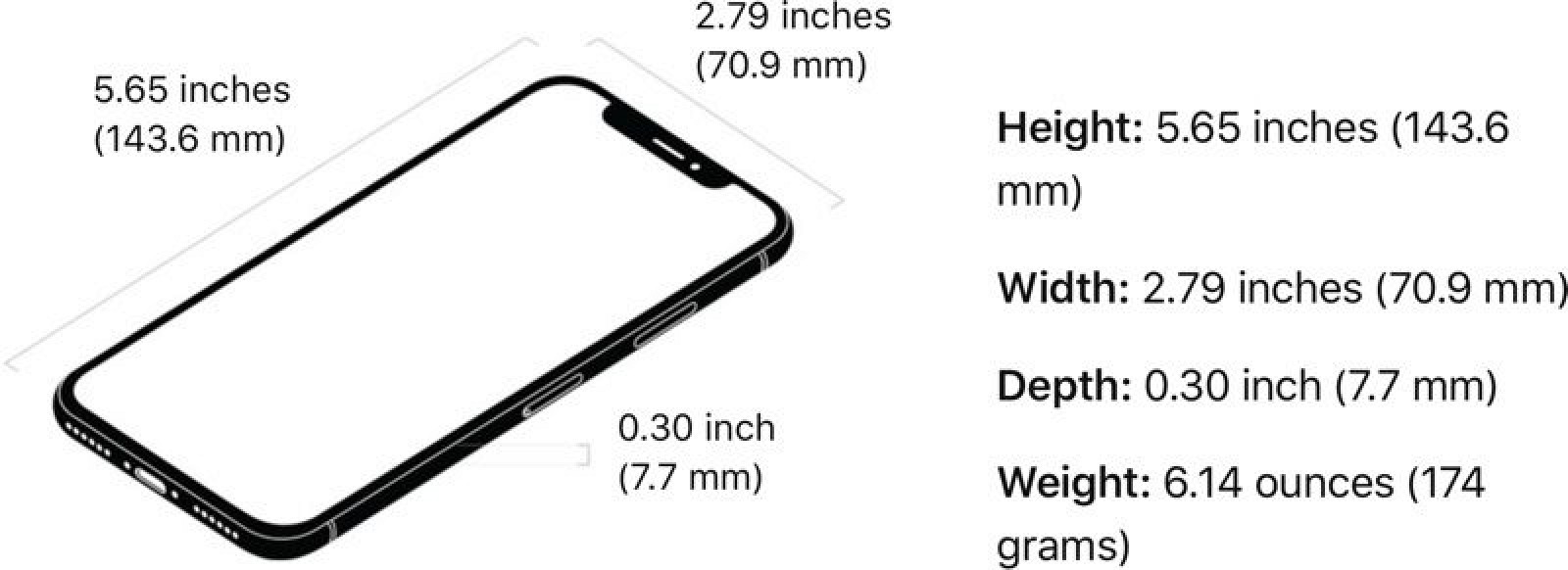
Comparatively, the iPhone 8 measures in at 138.4mm tall, 67.3mm wide, and 7.3mm thick, while the iPhone 8 Plus is 158.4mm tall, 78.1mm wide, and 7.5mm thick. As you can see, the iPhone X is larger than the iPhone 8, but smaller than the iPhone 8 Plus. It is, however, thicker than both devices, but is able to be comfortably held and used with one hand.
The gently rounded edges of the iPhone X's display meld right into a surgical-grade highly-polished stainless steel frame, which in turn flows into a new glass body for a continuous surface from front to back.
Glass is more fragile than the aluminum that's been used for the last several iPhone models, but Apple says the front and back glass in the iPhone X is the most durable it's ever made. The iPhone X has, however, been proven to be prone to shattering in drop tests and has been named Apple's "most breakable iPhone ever" by warranty site SquareTrade.
The iPhone X comes in Silver and Space Gray, with both colors offering an almost pearlescent finish thanks to a seven-layer ink process that has allowed Apple to introduce precise hues and opacity.
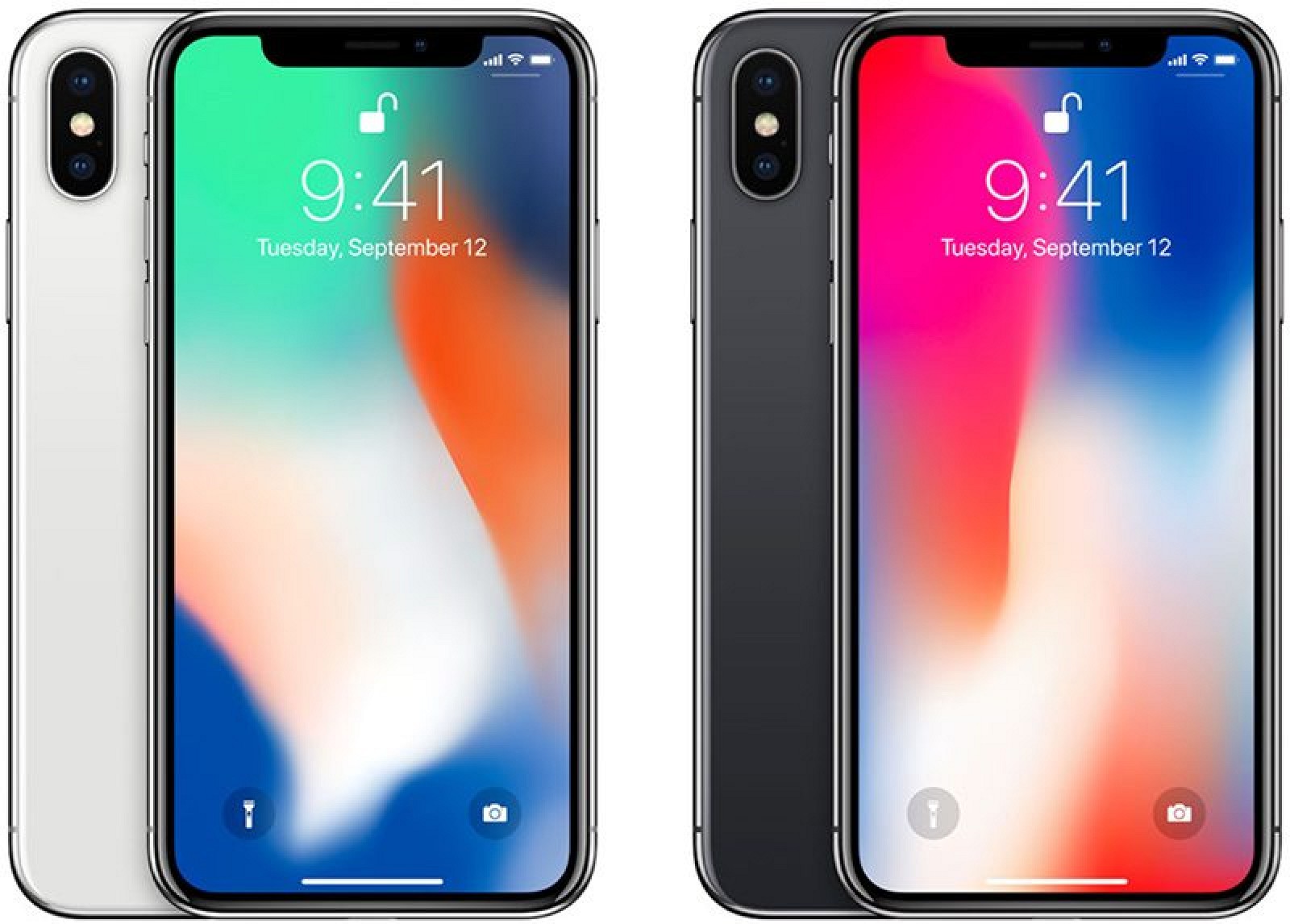
A reflective optical layer is added to the glass to enhance the two colors, and an oleophobic coating means smudges and fingerprints can be easily wiped away. The steel frame, designed to reinforce the iPhone X, is made from a special Apple-designed alloy that is more pure for better durability and on each device, the frame matches the body color. Nearly invisible antenna bands cut through the steel frame at the top and bottom of the device to ensure adequate signal.

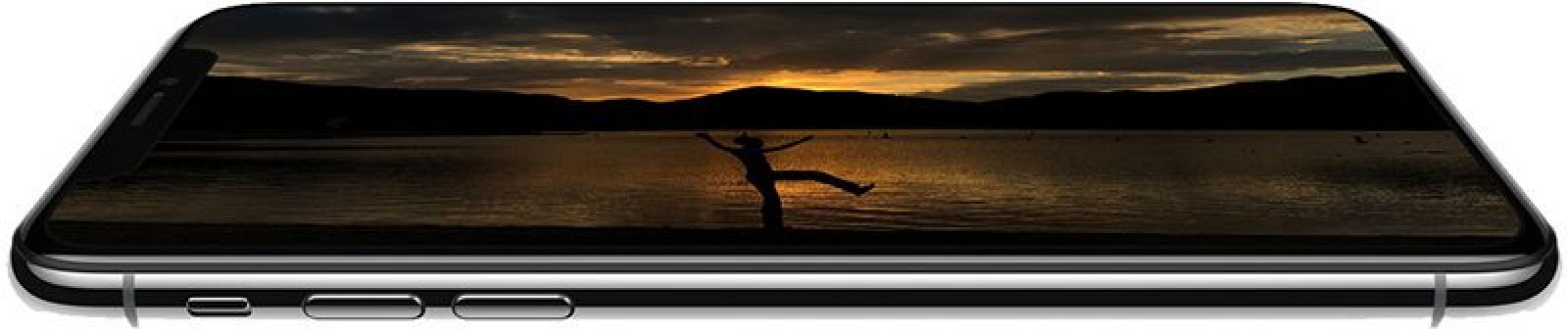
The left side of the device houses the standard mute switch and volume buttons, while the right side features an elongated side button that has new functionality to compensate for the removal of the Home button.
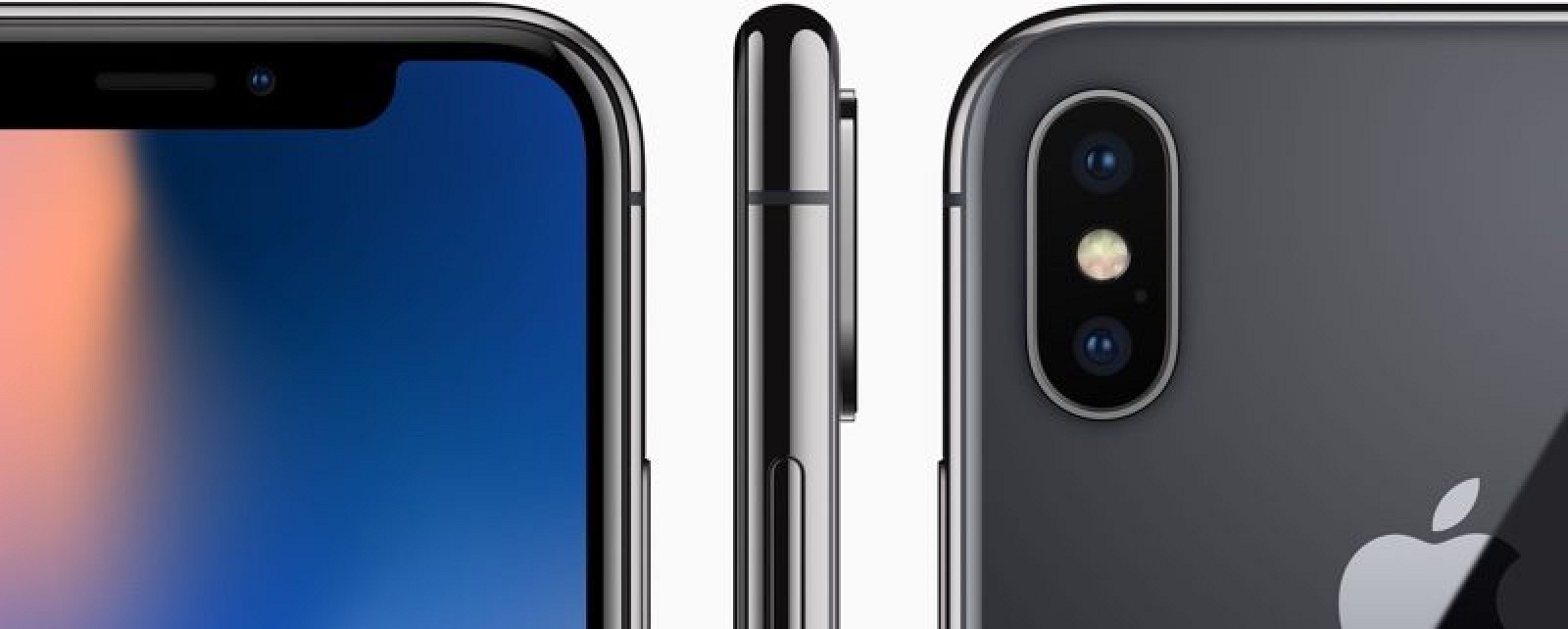
At the back of the iPhone X, there's a dual-lens rear camera arranged in a vertical orientation, a first in an iPhone. The camera continues to protrude slightly from the body of the device, and between the two lenses, there's a quad-LED flash and a microphone.
The bottom of the device features a traditional Lightning port for charging purposes along with six speaker holes located on either side of it.
WATER AND DUST RESISTANCE
The iPhone X is IP67 water and dust resistant. That means it is impervious to dust and can withstand immersion in water up to one meter (3.3 feet) deep for 30 minutes in laboratory conditions.
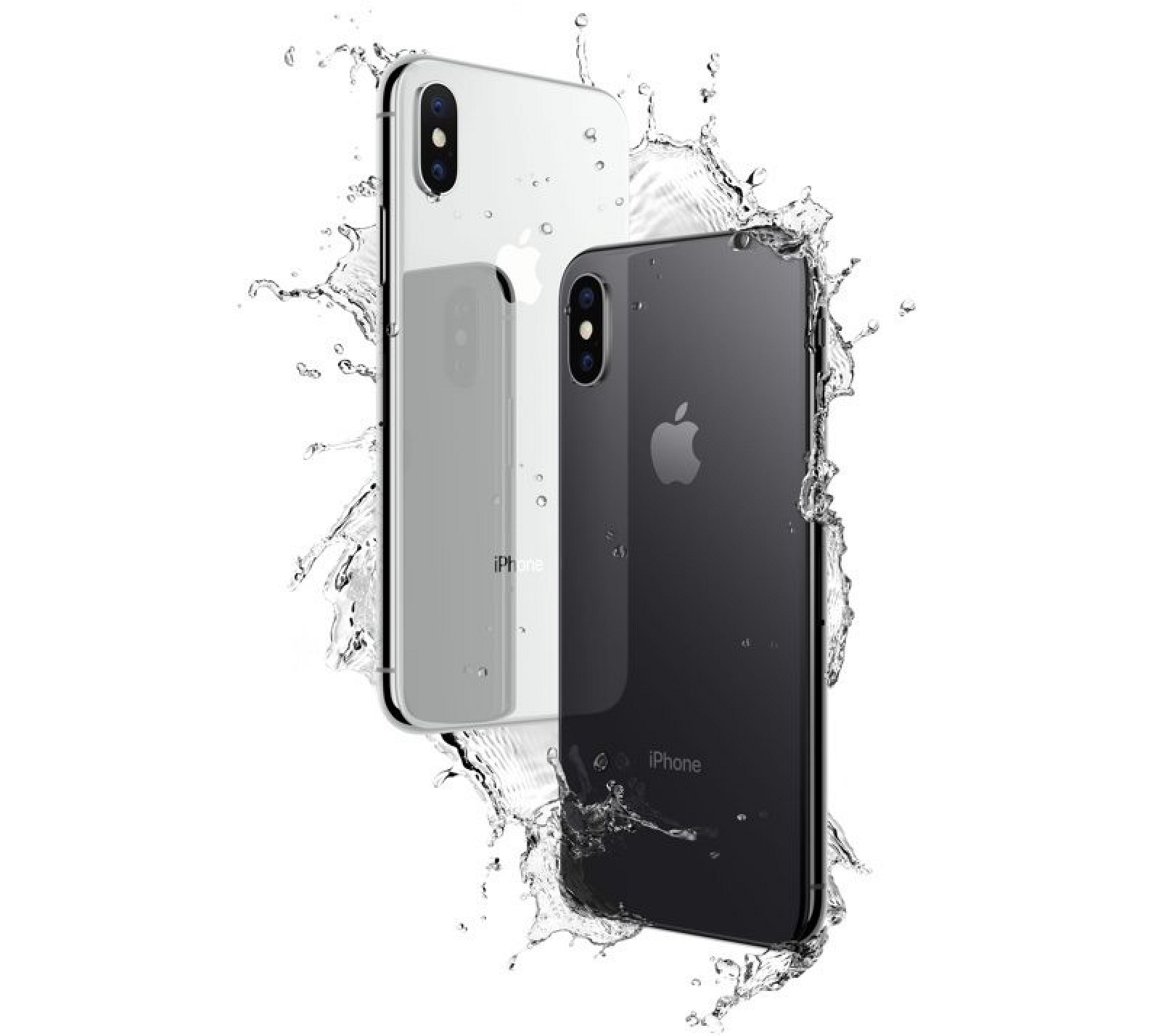
Though the iPhone X stands up to splashes, rain, and brief accidental water exposure, intentional water exposure should be avoided. Apple warns that water and dust resistance are not permanent conditions and could decrease as a result of normal wear. Apple's warranty also does not cover any kind of water damage to iOS device, so it's best to use caution when exposing the iPhone X to liquids.
IOS 11 INTERFACE CHANGES
With no Home button, Apple has rethought the user interface on the iPhone X, and made improvements that it believes ultimately result in a more intuitive usage experience.
Unlocking the iPhone X is done with a new Face ID facial recognition system, and to get to the Home screen, you simply swipe up from the bottom of the device. A swipe upwards to go back to the Home screen works from within any app, and Reachability can be enabled in Settings and accessed by swiping downwards on the bar at the bottom of the display.
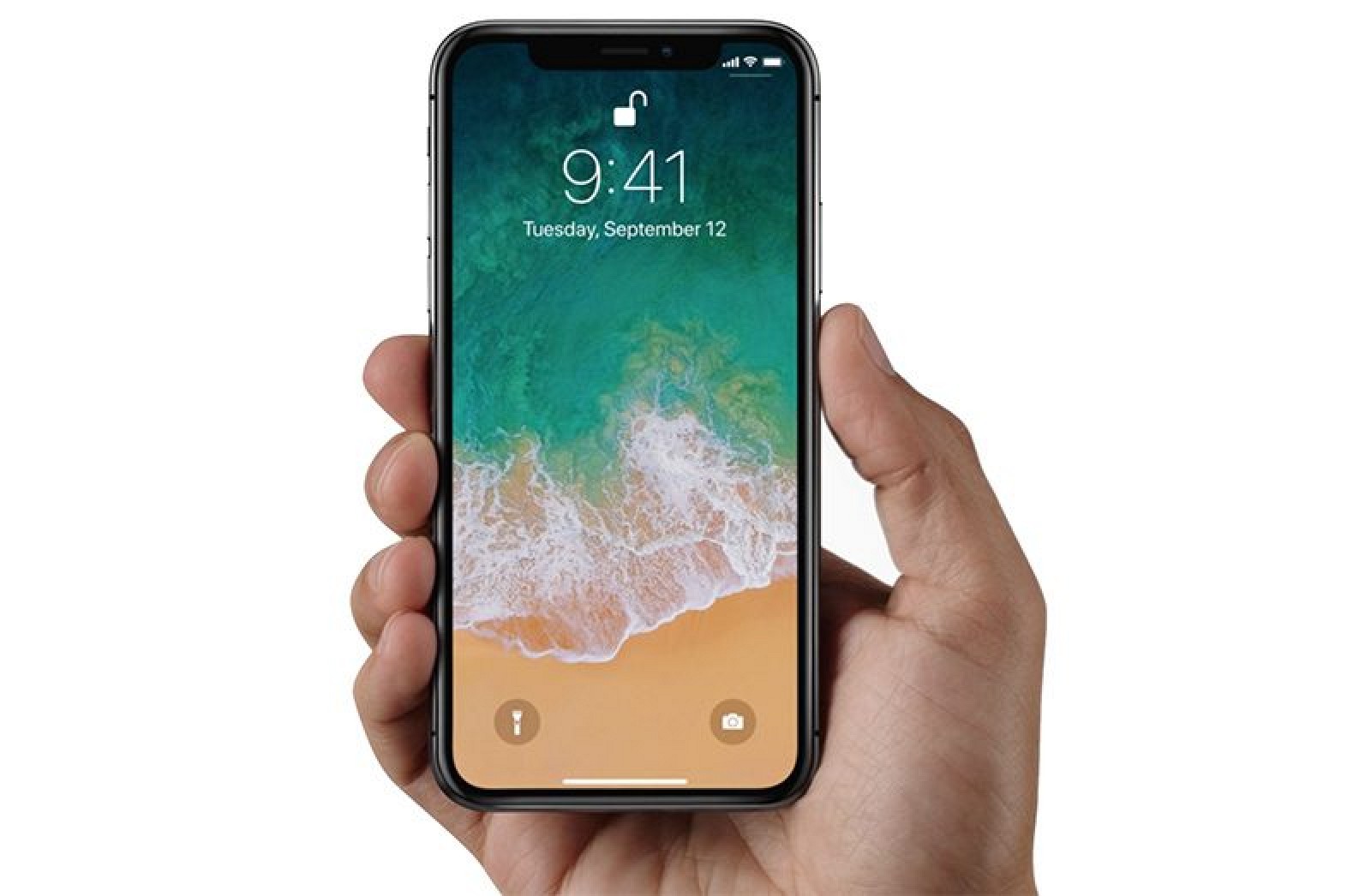
Because of the Face ID feature, all text previews are hidden by default on the iPhone X until the device is picked up and unlocked with a facial ID scan, so your text messages remain private.
To get to the App Switcher, swipe upwards and then pause for a second. With the App Switcher, you can switch between apps. You can also swipe on the left and the right of the display to flip between open apps for quick back and forth actions.
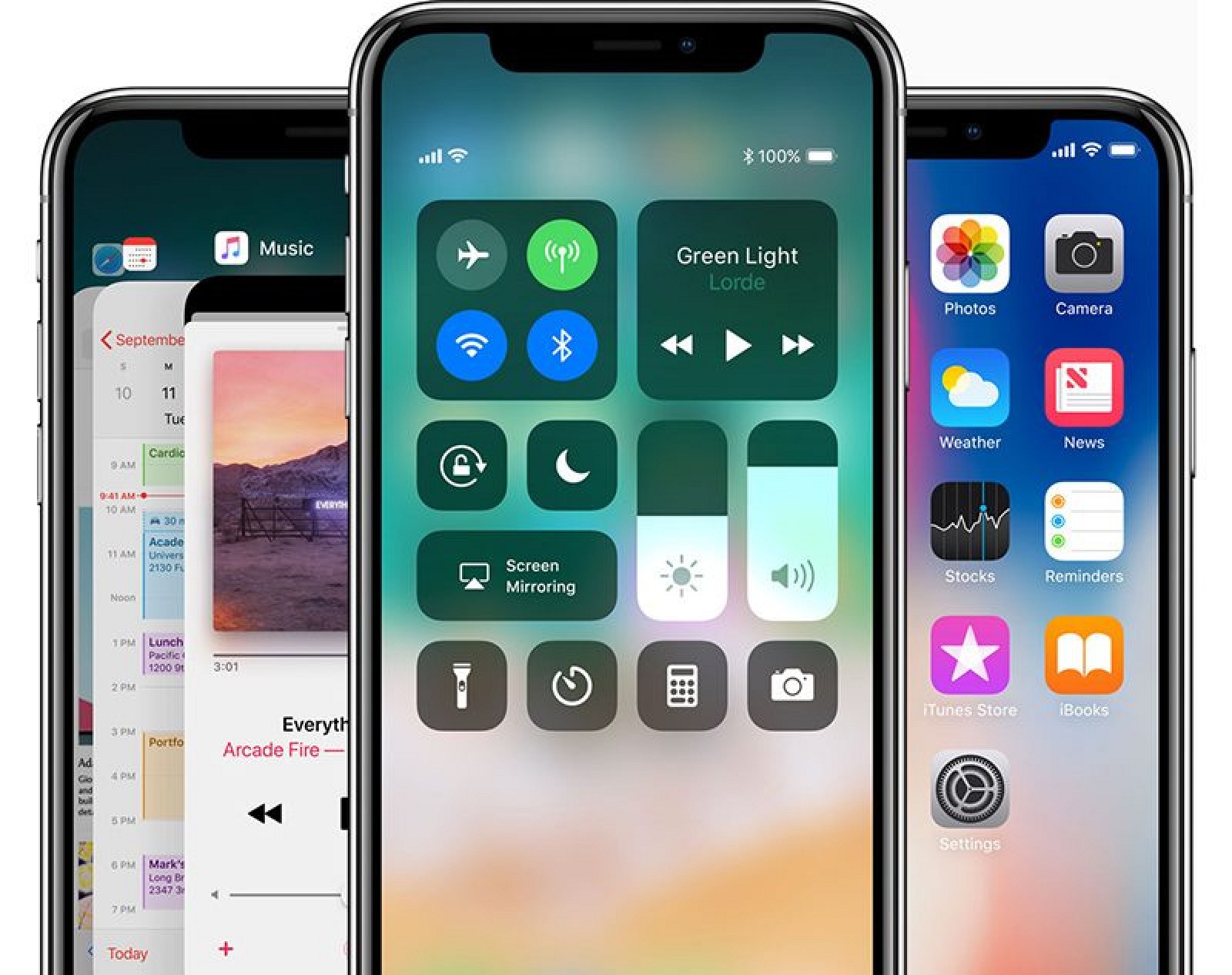
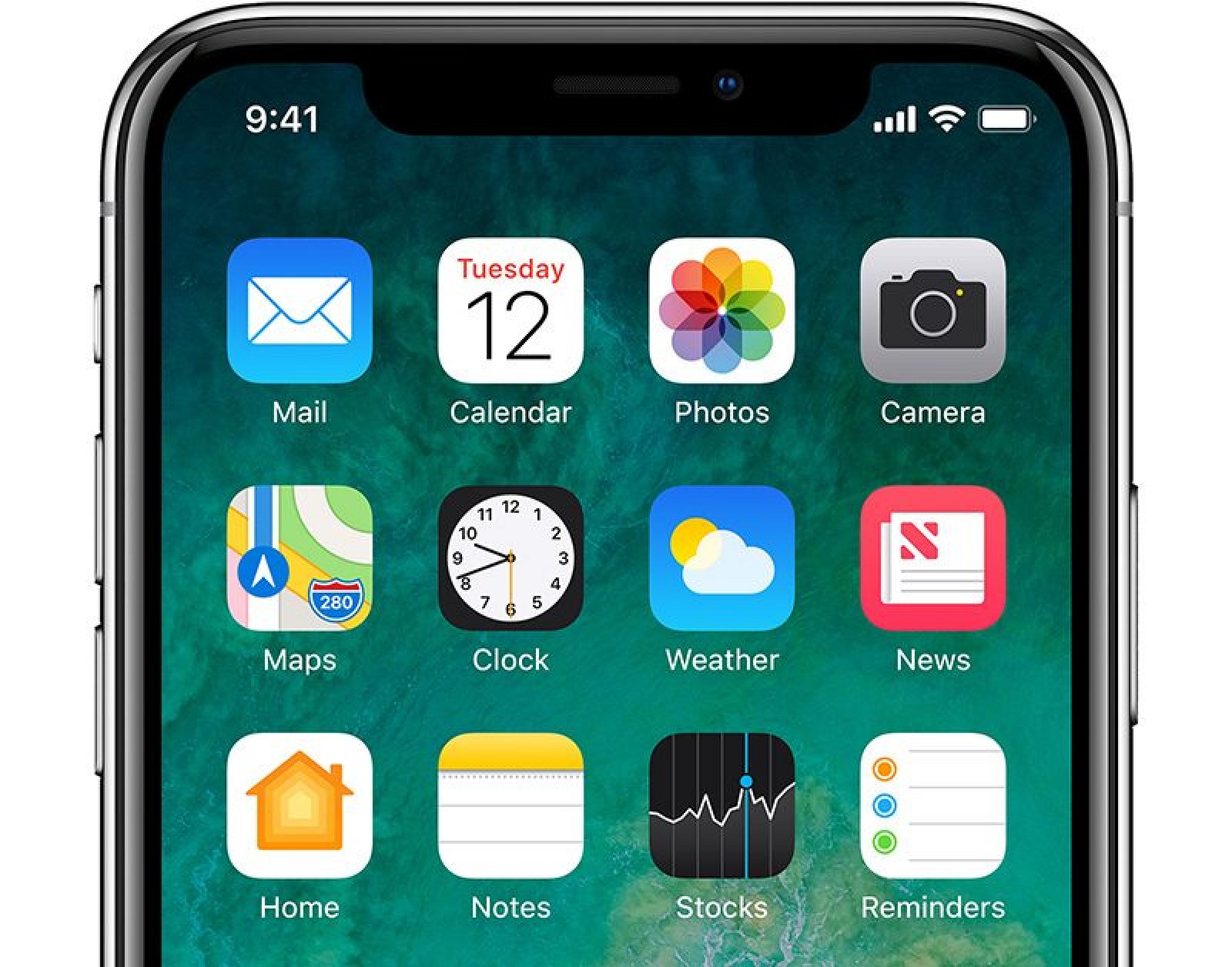
At the top of the display, the status bar that displays time, cellular signal, and battery life is split and displayed on either side of the device notch. Swiping downwards from either side of the status bar opens up Control Center.
The notch at the top of the display is the most jarring change to the interface, as it is always visible needs to be accounted for in app designs. Apple is not allowing app developers to conceal the notch with black bars, and developers must design around a safe area on the display to avoid content clipping and interfering with navigation gestures.
In landscape mode, the display notch is visible on the left side of the device and is likely to be a distraction until users adjust to the new design. No content is obscured, with Apple using bars in situations like watching videos or viewing webpages in Safari. Photos, videos, and games can all be viewed full screen, though, with the notch cutting into some content in those situations.
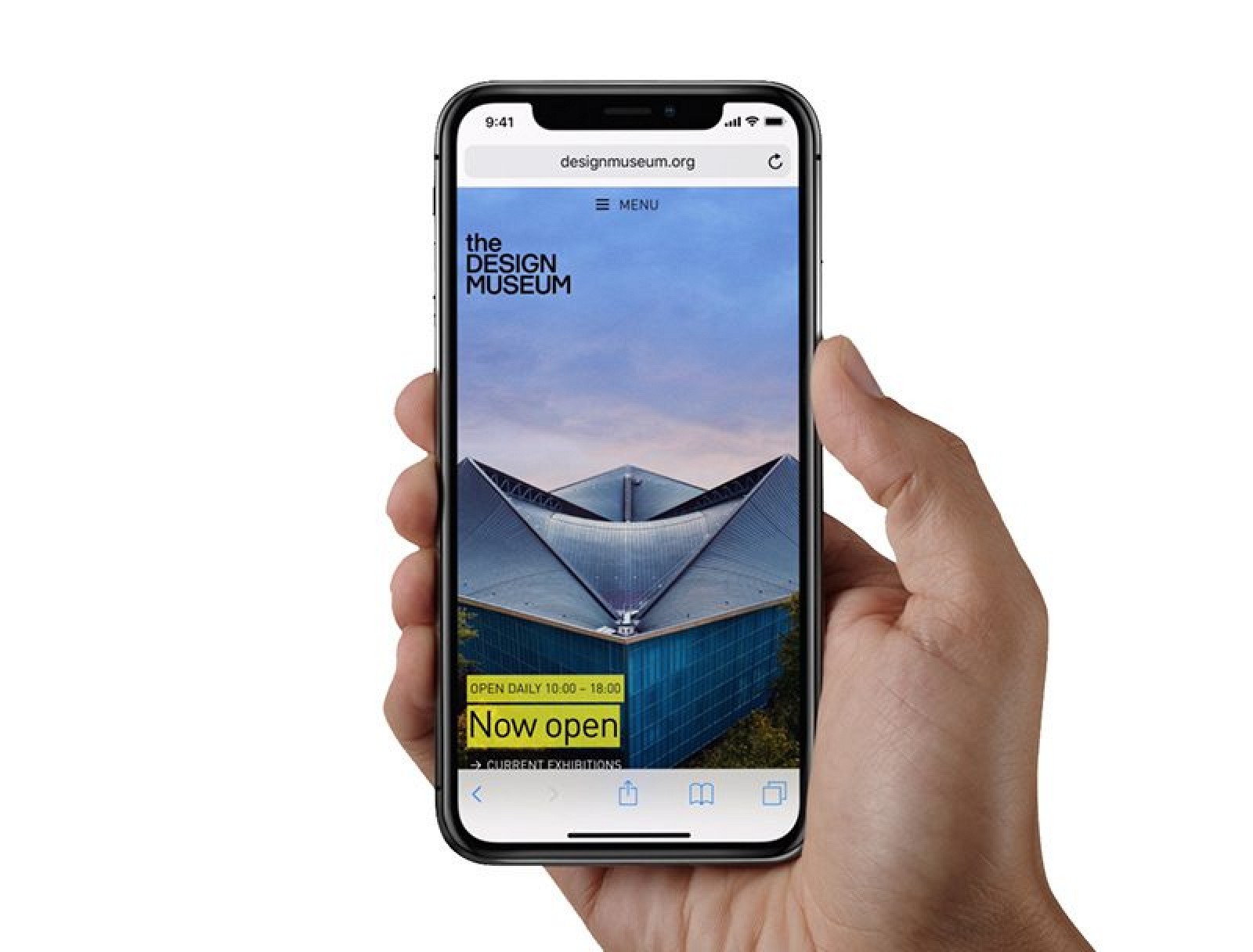
Without a Home button, the side button on the iPhone X does a lot more. Holding down on the button activates Siri, while pressing the side button and the volume up button takes a screenshot. Apple Pay purchases are now confirmed with a double click on the side button.
To activate the display, you can use the side button, the Raise to Wake feature, or a new "Tap to Wake" feature that turns on the iPhone's screen when you tap it with a finger.
The iPhone X has its own "Reflection" default ringtone for incoming calls and notifications, which has a soft, mellow twinkling sound that's unique to the device.
Display
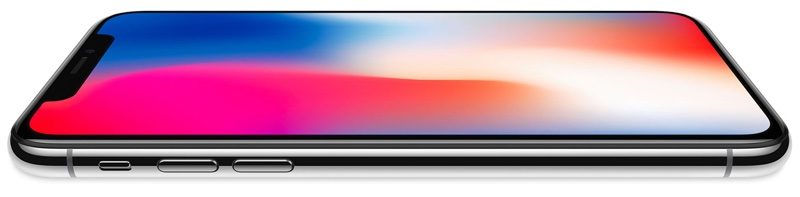
The "Super Retina" display in the iPhone X is the first high dynamic range (HDR) OLED display Apple has incorporated into an iPhone. OLED brings vivid, more true-to-life colors, deep blacks, and a 1,000,000 to 1 contrast ratio.
OLED displays traditionally come with tradeoffs like lower brightness, poor color accuracy, and no wide color support, but Apple says has overcome those issues with a "breakthrough" display that features unparalleled quality, responsiveness, and efficiency with support for Dolby Vision, HDR10, wide color gamut, and advanced color management techniques for what Apple says is the best color accuracy "in the industry."
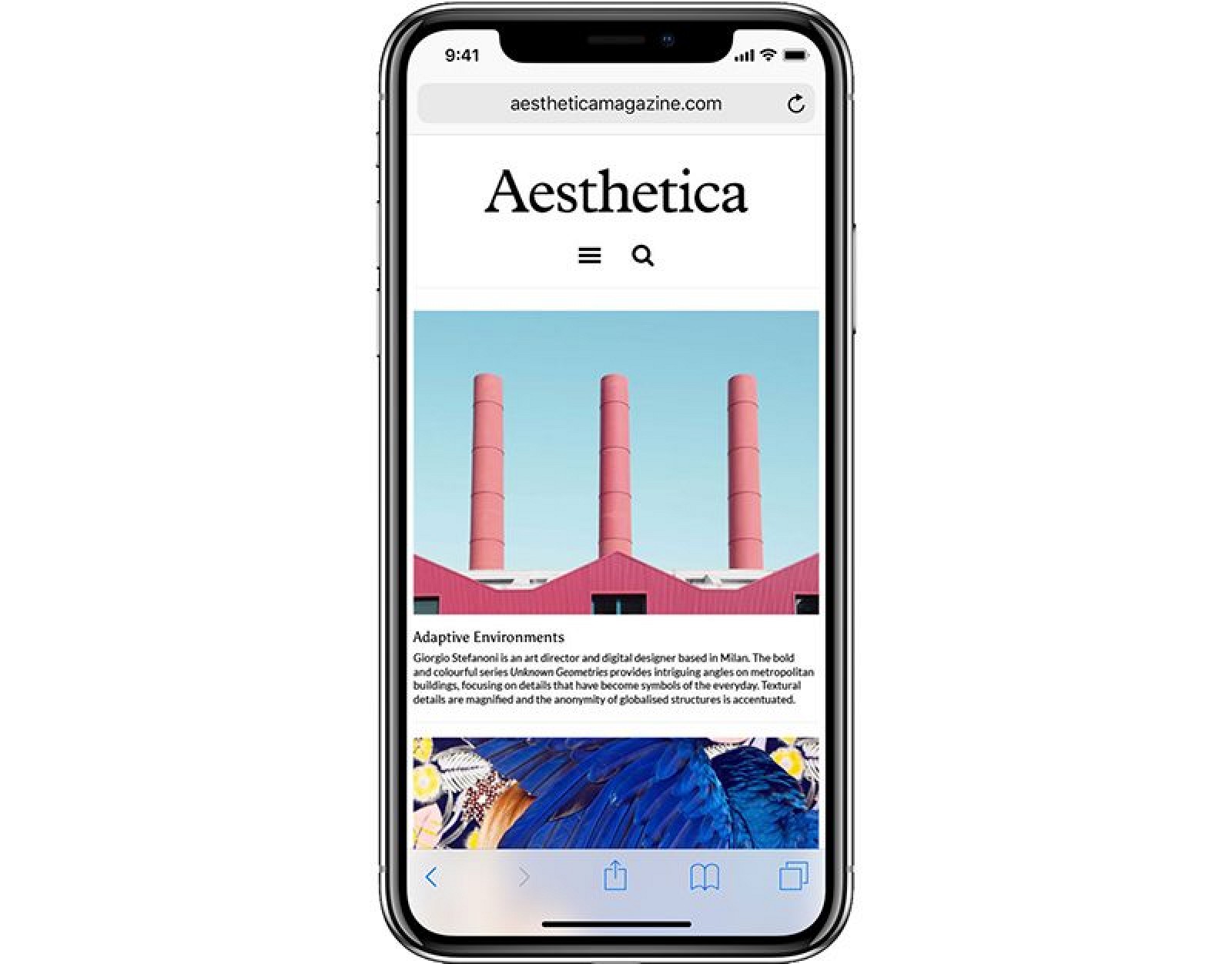
The Super Retina display features a 2436 x 1125 resolution with 458 pixels per inch, the highest resolution and pixel density Apple has introduced in an iPhone. It offers True Tone technology, which uses an ambient light sensor to adjust the white balance of the display to match the ambient lighting in a room. This reduces eyestrain and makes for a more paper-like reading experience.
At the edges of the device where the display folds into the rounded corners, Apple says it uses folded and circuit stacking technology along with subpixel anti-aliasing for smooth, distortion-free edges.
MINOR SCREEN BURN-IN AND COLOR SHIFTS
According to Apple, with extended long-term use, OLED displays can show "slight visual changes," aka "image-persistence" or "burn-in," which is considered normal. The iPhone X has been engineered to be the "best in industry" at reducing burn-in effects, but an Apple support document suggests minor burn-in is still a problem that some users could potentially see over time.
Apple says burn-in can occur when the same high contrast image is continuously displayed for prolonged periods of time, so the company suggests that users avoid displaying static images at maximum brightness for long periods of time. If there's an app that keeps the display on when the iPhone X is not in active use, the display's brightness level should be temporarily reduced using Control Center.
Making sure the iPhone X's display is set to go to sleep after a short period of time also helps prevent any burn-in issues, as it generally happens when the same image is on the display for a long time. Apple recommends setting Auto Lock to "a shorter time."
Along with burn-in, Apple says that some shifts in color when looking at the iPhone display from an off-angle is also common with an OLED display and not unusual.
3D TOUCH AND TAPTIC ENGINE
Though it has a new OLED display, the iPhone X continues to support 3D Touch gestures. 3D Touch is available throughout the iOS 11 operating system and is often used to display additional information with a single force press gesture.
A Taptic Engine continues to provide tactile feedback in the form of vibrations when users interact with the display.
Face ID
Face ID is a new facial recognition system that replaces the Touch ID fingerprint sensor used for authentication purposes in earlier devices. In many ways, Face ID is just like Touch ID, except it uses a facial scan instead of a fingerprint. It does all of the same things, like unlocking your iPhone, allowing access to third-party passcode-protected apps, confirming purchases, and authenticating Apple Pay payments.
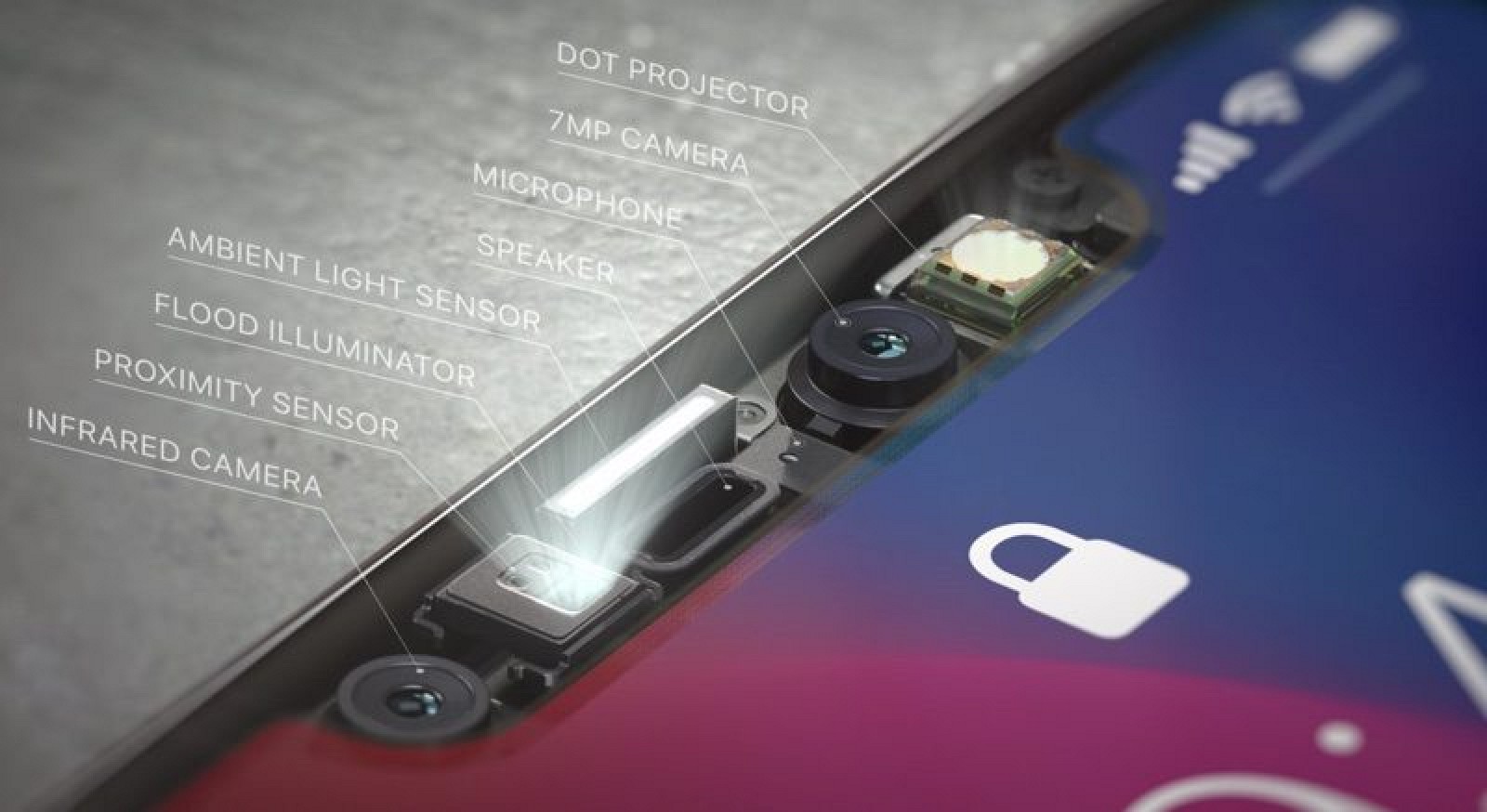
Face ID uses a set of sensors and cameras built into the front of the iPhone X, and Apple calls this multi-component setup its TrueDepth camera. To create a scan of your face, a Dot Projector projects more than 30,000 invisible infrared dots onto your face. The dot map is read by an infrared camera and the structure of your face is relayed to the A11 Bionic processor in the device where it is transformed into a mathematical model.
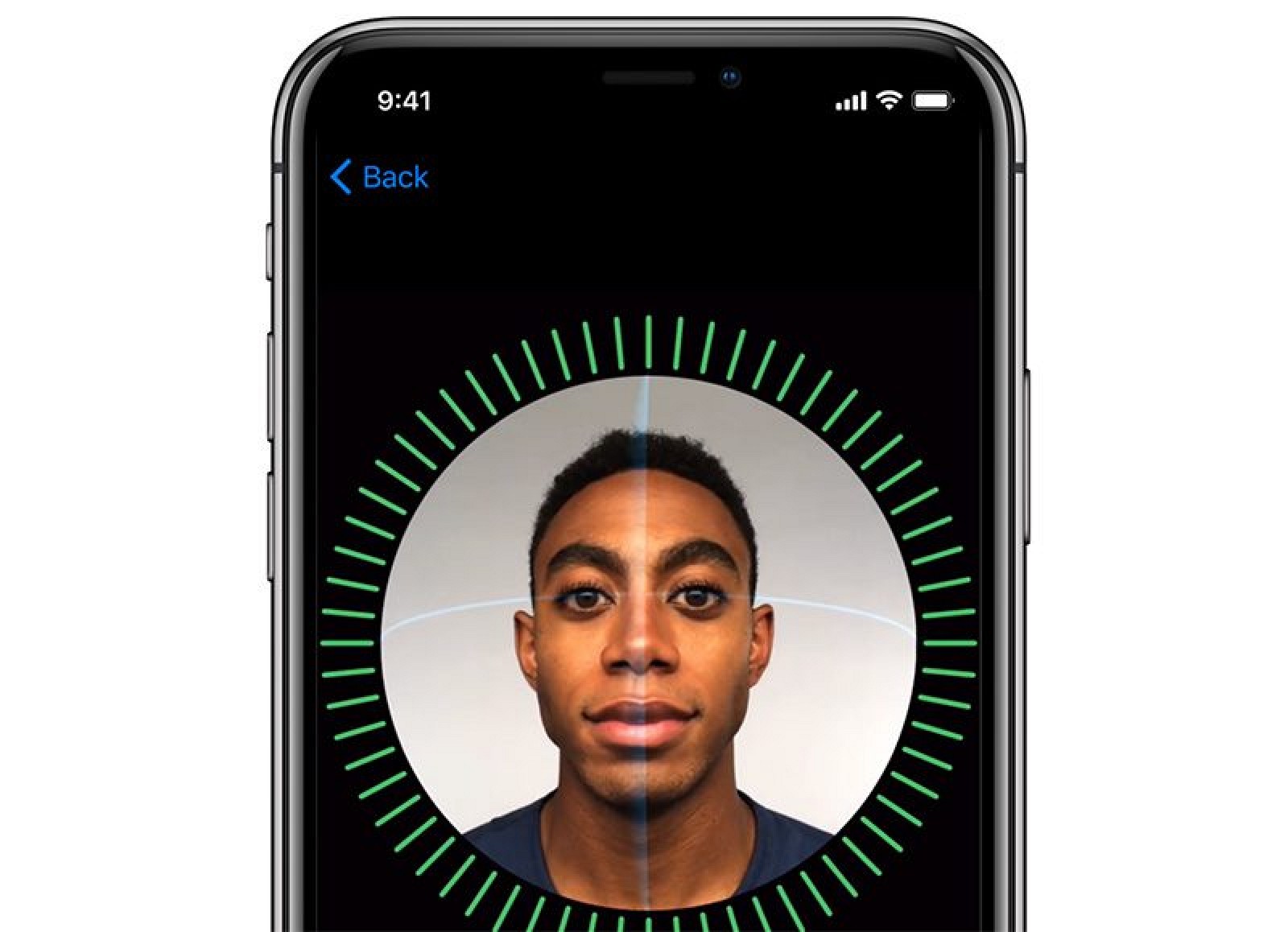
When you get a new iPhone X, Face ID is part of the setup process, much like Touch ID was. Instead of adding a fingerprint to the device, you'll use Apple's tutorial to create a quick 3D face scan that's converted into a series of data points. As with your stored fingerprint, the data from your stored face scan is compared to the data from a new face scan each time you use biometric authentication.
It takes just fractions of a second for the iPhone X to scan your face, recognize you, and unlock your device, though Face ID has been described as slower than Touch ID. When measured side by side, Touch ID unlocks an iPhone faster, but Face ID offers an interface that's ultimately faster in day-to-day use because it's more streamlined. As an example, opening a notification with Touch ID requires tapping the notification and then putting a finger on Touch ID. With Face ID, the iPhone is unlocking as the notification is tapped.
FACE ID SECURITY AND PRIVACY
Because Face ID takes a detailed 3D facial scan, it's unable to be fooled by a photo, a mask, or other facial imitation, and there's also an "attention aware" security feature. Face ID only unlocks your device when you look in the direction of the iPhone X with your eyes open, meaning Face ID knows not to work unless there's a live person in front of it.

Face ID won't work when your eyes are closed, when you're sleeping, when you're unconscious, or when you're looking away from your phone.
Attention aware is optional and there is an accessibility feature to turn it off for those who are unable to focus on the iPhone's screen, but most people will want to leave it turned on for the added layer of security.
If a thief demands your iPhone, Face ID can be disabled quickly and discretely by pressing on the side button and the volume button at the same time. Do this before handing your phone over, and a thief won't be able to scan your face. Face ID also turns off after two failed facial recognition attempts and a passcode needs to be entered for it to be turned back on.
Face ID is encrypted and stored in the Secure Enclave on the iPhone X. Apple can't access your Face ID data, nor can anyone who gets ahold of your phone. Authentication happens entirely on your device, with no Face ID data ever stored in the cloud or uploaded to Apple.
Apple says Face ID is more secure than Touch ID because there's less chance of a mismatch. There's a 1 in 50,000 chance someone else can unlock your iPhone with their fingerprint, but a 1 in 1,000,000 chance someone else's face can fool Face ID. For identical twins, though, the error rate increases.
YouTube videos have surfaced featuring the iPhone X fooled by twins, children, and even a carefully crafted 3D printed mask, but the feature is still secure enough that the average person does not need to worry about it being unlocked by someone else.
Third-party app developers don't have access to the facial map that Face ID uses to unlock a device, but they are able to use the TrueDepth Camera to scan a user's facefor the purpose of creating more realistic augmented reality apps. Developers are able to see a 3D face mesh and detected 52 micro-movements for determining expression, which is worth being aware of if you're an iPhone X owner.
While Face ID works in the same way as Touch ID and does all of the same things, at the current time, Face ID cannot be used to approve family purchases on the iPhone X. This means parents must enter a password to approve an App Store purchase when a child requests permission to buy something. On phones with Touch ID, a fingerprint scan is able to replace a password. Apple is addressing this issue in iOS 11.3 and enabling the ability to approve family purchases with Face ID.
FACE ID IN THE DARK
Because Face ID uses infrared, it works in low light and in the dark. Apple has built a Flood Illuminator into the TrueDepth camera to make sure there's always adequate infrared light to take a scan of your face.
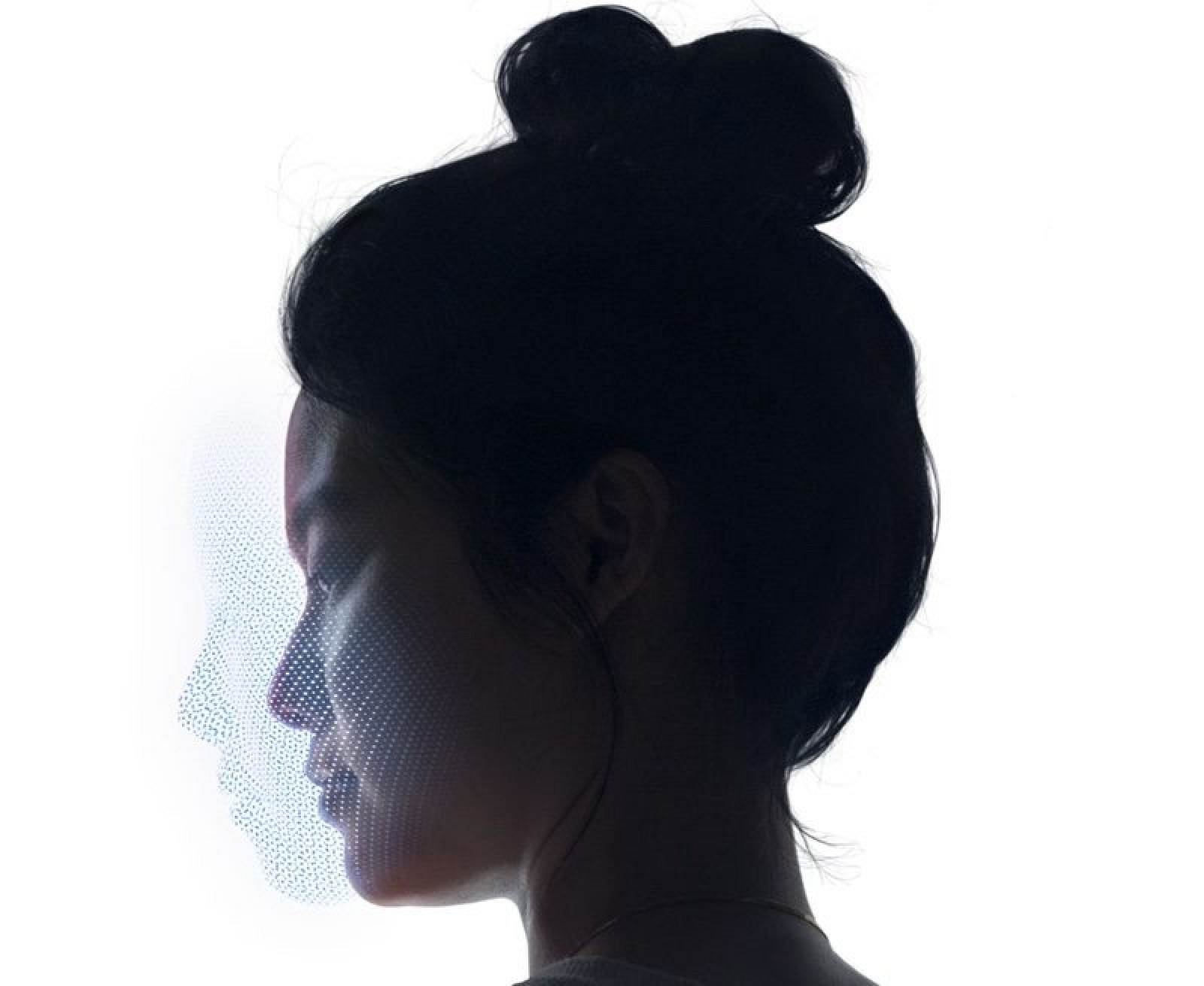
You don't need to hold your iPhone right in front of your face for Face ID to work. It can work from multiple angles so you can hold it at a comfortable position as you might when just casually looking at the screen. It won't unlock in your pocket like it does with Touch ID, but as soon as you take it out and go to look at the screen, it's ready to go.
FACE ID WITH HATS AND SUNGLASSES
Face ID works with hats, beards, glasses, sunglasses, scarves, makeup and all other accessories and items that might partially obscure a face. Face ID needs to see your eyes, nose, and mouth to work, so things like the surgical masks doctors wear prevent Face ID from working.
When it comes to sunglasses, Face ID works with most sunglasses, with the exception of some that may have a coating that blocks infrared light.

All of Face ID's facial recognition capabilities are powered by a two-core neural engine built into the A11 Bionic chip, which uses machine learning to detect your face and recognize changes in your appearance, like longer hair, beard growth, or a hat.
FACE ID APPLE PAY
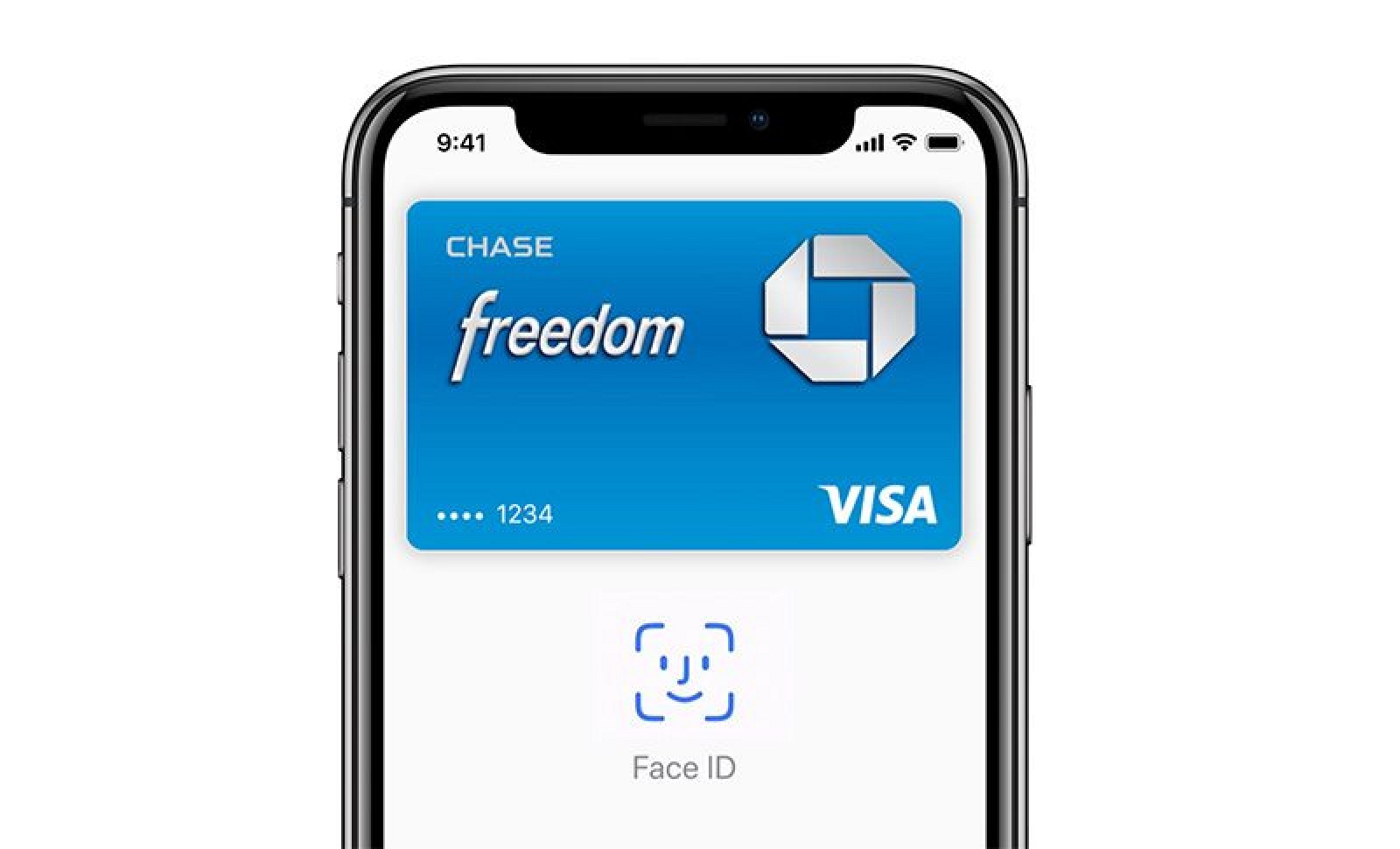
Face ID replaces Touch ID when authenticating Apple Pay purchases. When checking out with Apple Pay, a glance at the iPhone X authenticates a payment, and a double click on the side button of the device confirms it.
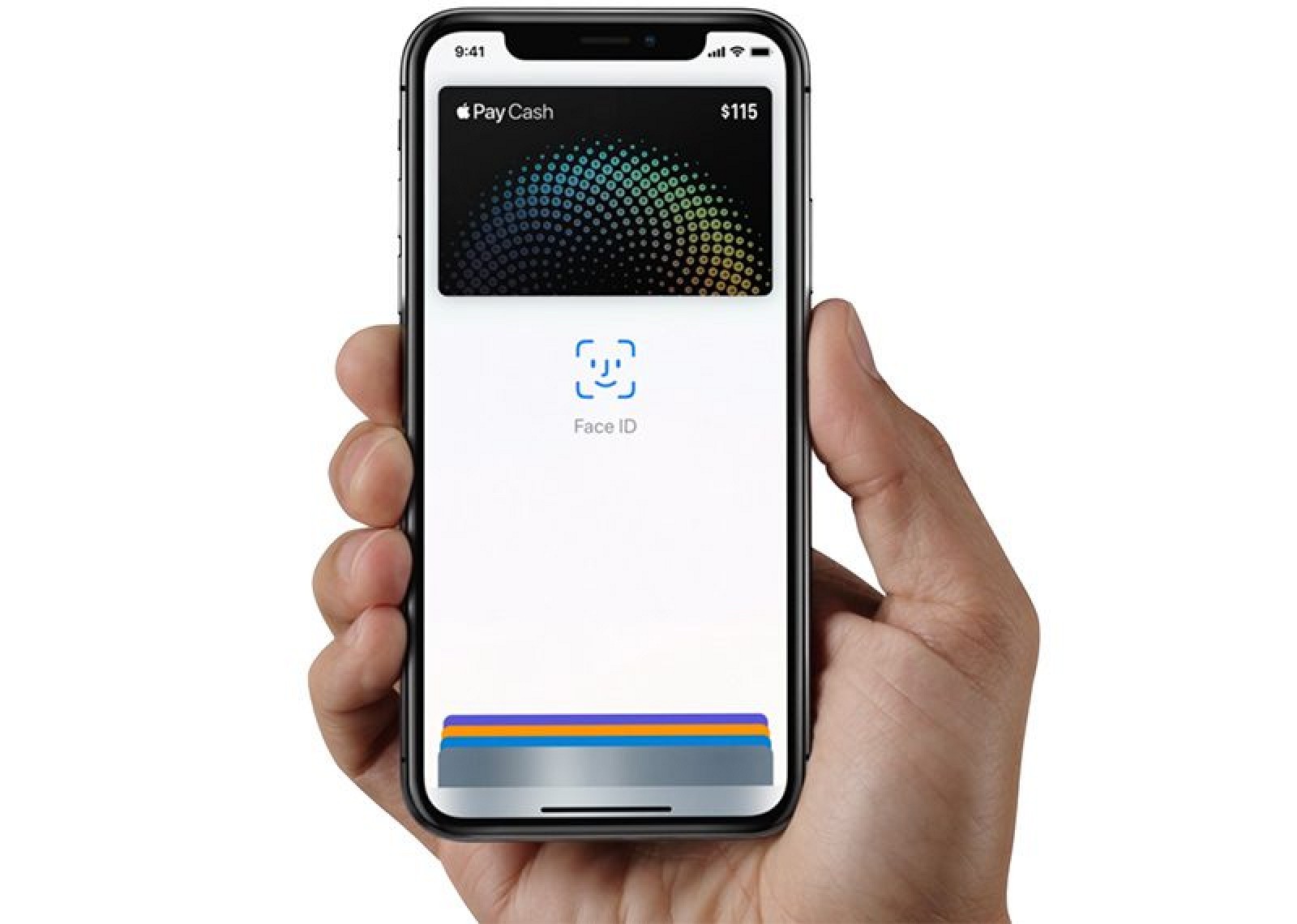
With the "attention aware" feature, the iPhone X knows when you're looking at it. Face ID displays notifications and messages on the Lock screen when you look at the iPhone X, it keeps the screen lit, and it automatically lowers the volume of an alarm or ringer when it knows your attention is on the iPhone X's display.
A11 Bionic Processor
The iPhone X is powered by a 10-nanometer six-core 2.4GHz A11 Bionic chip designed by Apple. The A11 Bionic chip features two performance cores and four high-efficiency cores, all of which can be harnessed at the same time thanks to a second-generation performance controller resulting in 70 percent better performance for multi-threaded workflows and much better battery life.
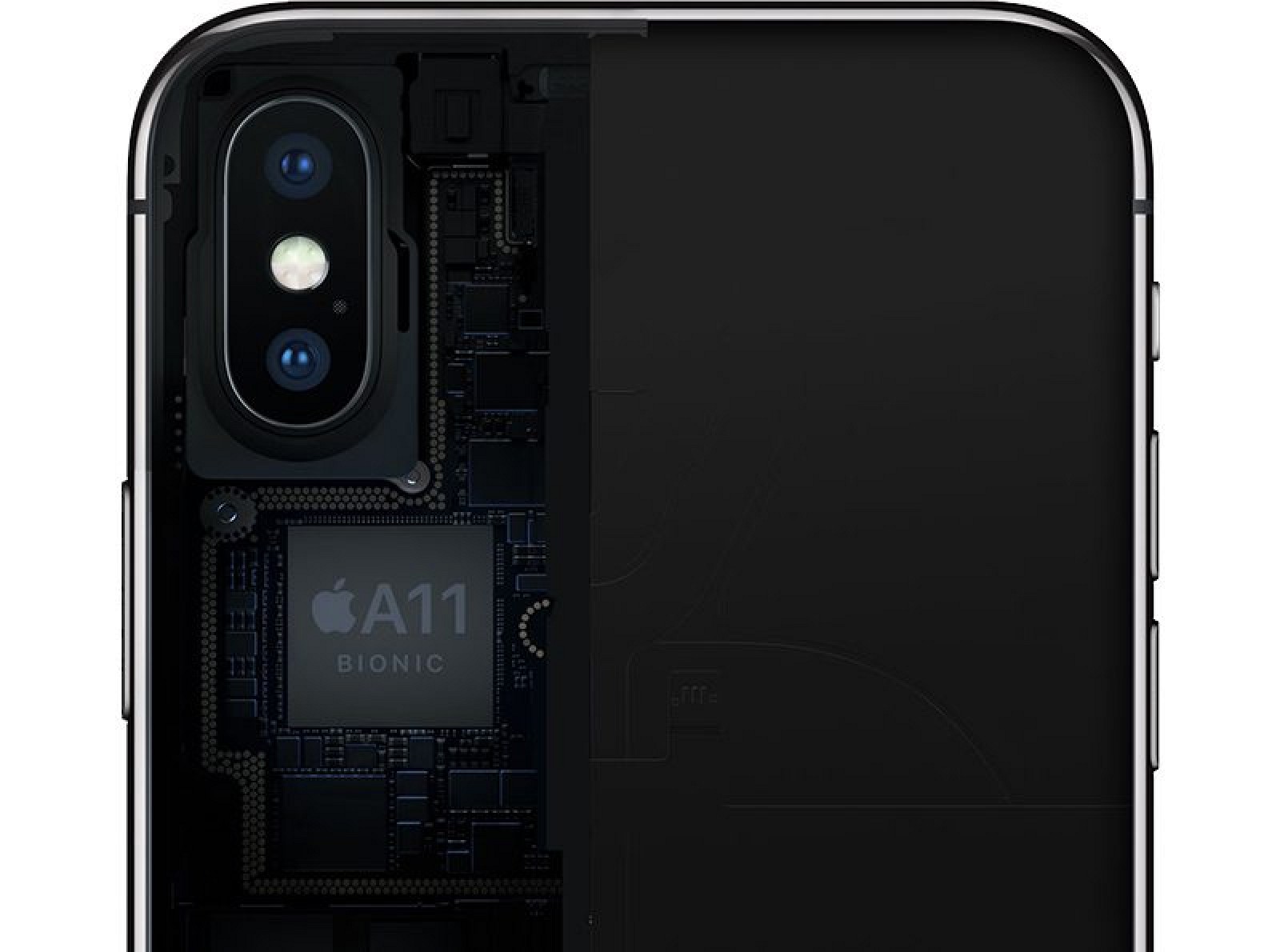
Apple says the two performance cores in the A11 are 25 percent faster than the A10, while the efficiency cores are 70 percent faster. Those speed increases have been reflected in early benchmarks, with the A11 in the iPhone X and iPhone 8 earning an average single-core score of 4169 and an average multi-core score of 9836.

Based on those scores, the A11 chip outperforms the A10 in previous-generation devices by a wide margin, and it also outperforms the A10X in the iPad Pro. In fact, it's close to the performance of the highest-end 3.5GHz 2017 13-inch Retina MacBook Pro model.
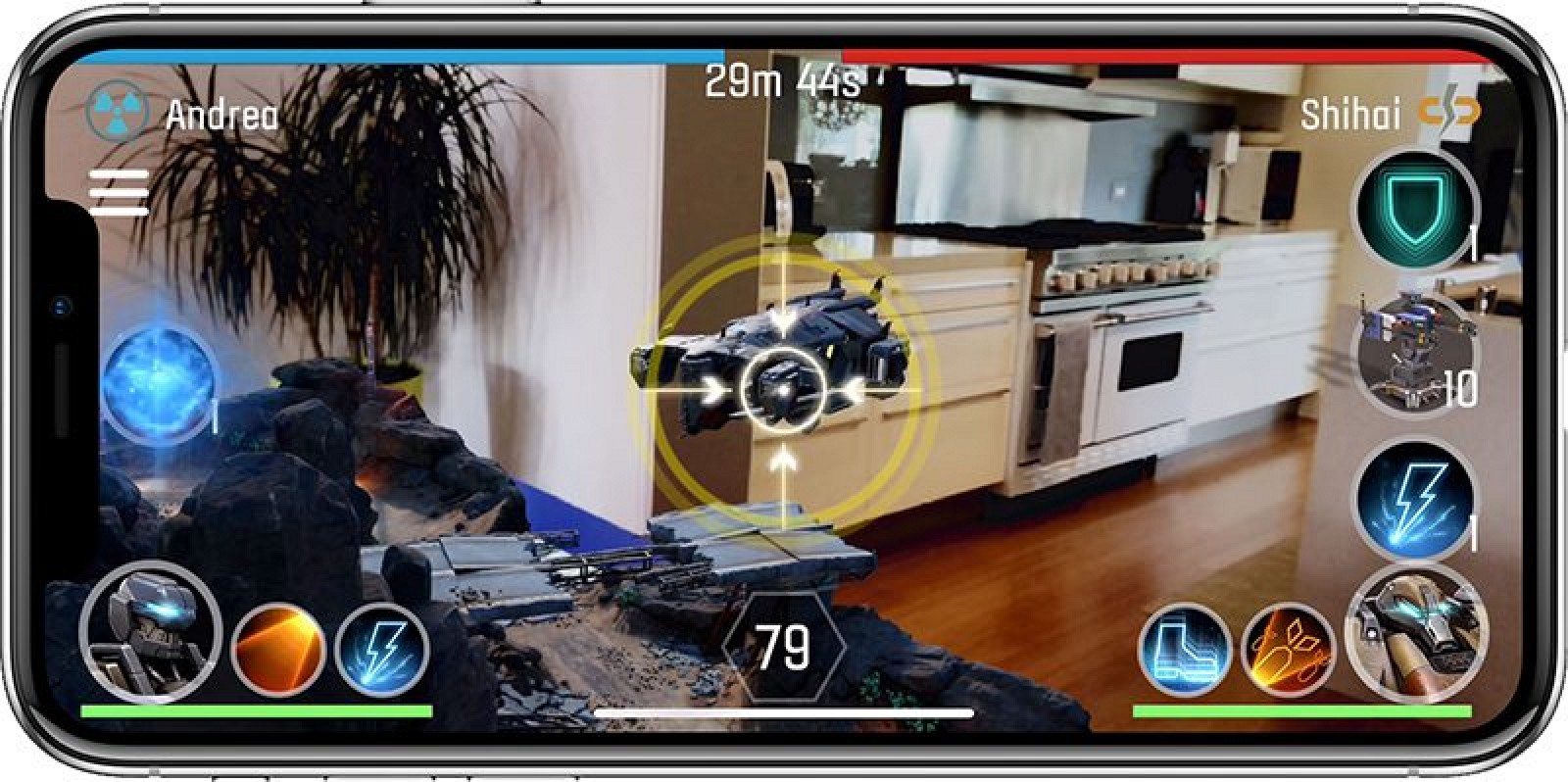
The A11 chip features a new Apple-designed three-core GPU that's 30 percent faster than the A10 in the iPhone 7, for much improved graphics performance, and it includes an embedded M11 Motion coprocessor that captures motion-based data from the compass, accelerometer, and gyroscope to power fitness capabilities, augmented reality experiences, and more, without significant power drain.
A11 BIONIC NEURAL ENGINE
Two of the cores in the A11 Bionic chip are dedicated to a neural engine able to process more than 600 billion operations per second. The neural engine is what powers Face ID and other machine learning tasks.
RAM
The iPhone X features 3GB RAM, like the iPhone 7 Plus and iPhone 8 Plus.
Inductive Wireless Charging
Apple chose glass for the body of the iPhone X to enable inductive wireless charging. Apple is using the Qi wireless charging standard that is also available in many Android phones, which means the iPhone X can charge wirelessly using any Qi-certified inductive charging device.
Inductive charging requires the body of the iPhone to be placed against a charging mat, with the iPhone X charging at a maximum of 7.5 watts. Though there are already many Qi wireless charging accessories on the market, companies like Belkin and Mophie created charging accessories designed specifically with Apple's iPhones in mind.
As of iOS 11.2, the iPhone X, iPhone 8, and iPhone 8 Plus support faster 7.5W wireless charging using compatible third-party wireless chargers. Not all wireless chargers support 7.5W, so it's best to make sure wattage is listed before making a purchase.
In our testing, which compared several wired and wireless charging methods, wireless charging is similar to charging with the standard 5W iPhone charger, but it is slower than other charging methods, such as charging with the 12W iPad adapter and USB-C fast charging.
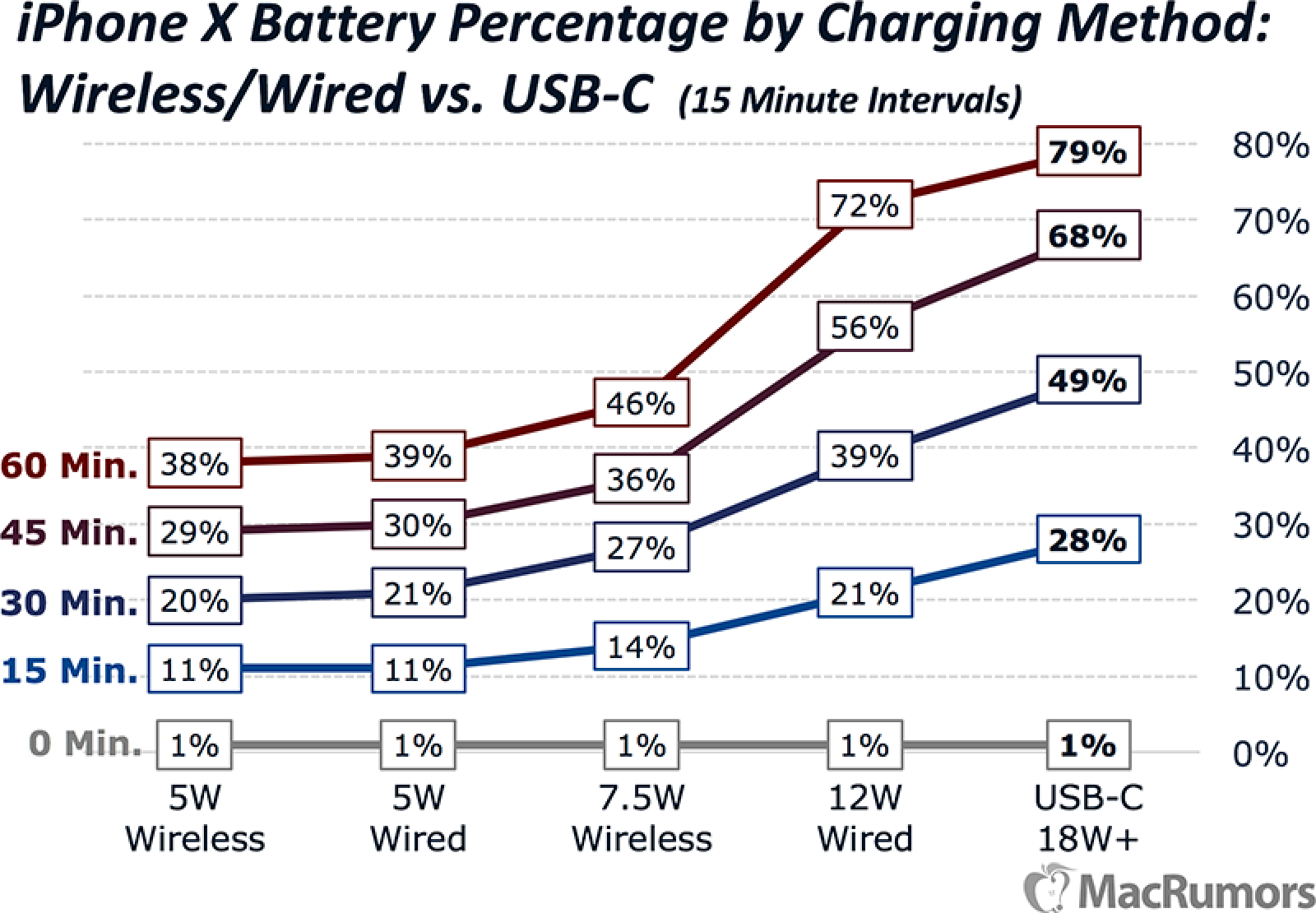
7.5W wireless charging is faster than 5W wireless charging in some cases using supported 7.5W chargers, but there are a lot of factors that influence the speed of wireless charging so the difference isn't always evident. Wireless charging is convenient and best suited to overnight charging and situations where you don't immediately need an infusion of power. If you're looking for a wireless charger, make sure to check out our roundup that covers many of the currently available options.
Qi-based wireless charging accessories can also be found in restaurants, coffee shops, and other locations, and these spots charge the iPhone X too. Inductive charging works with most iPhone cases on the market, including Apple's own cases, so the iPhone X won't need to be removed from a case to charge.
AIRPOWER
Apple is working on its own wireless charging accessory for the iPhone X, the AirPower, but it won't be out until later in 2018 because Apple is developing new charging technology able to charge multiple devices at once. No pricing has been unveiled for the AirPower, but a website listing has suggested it could start around $199.
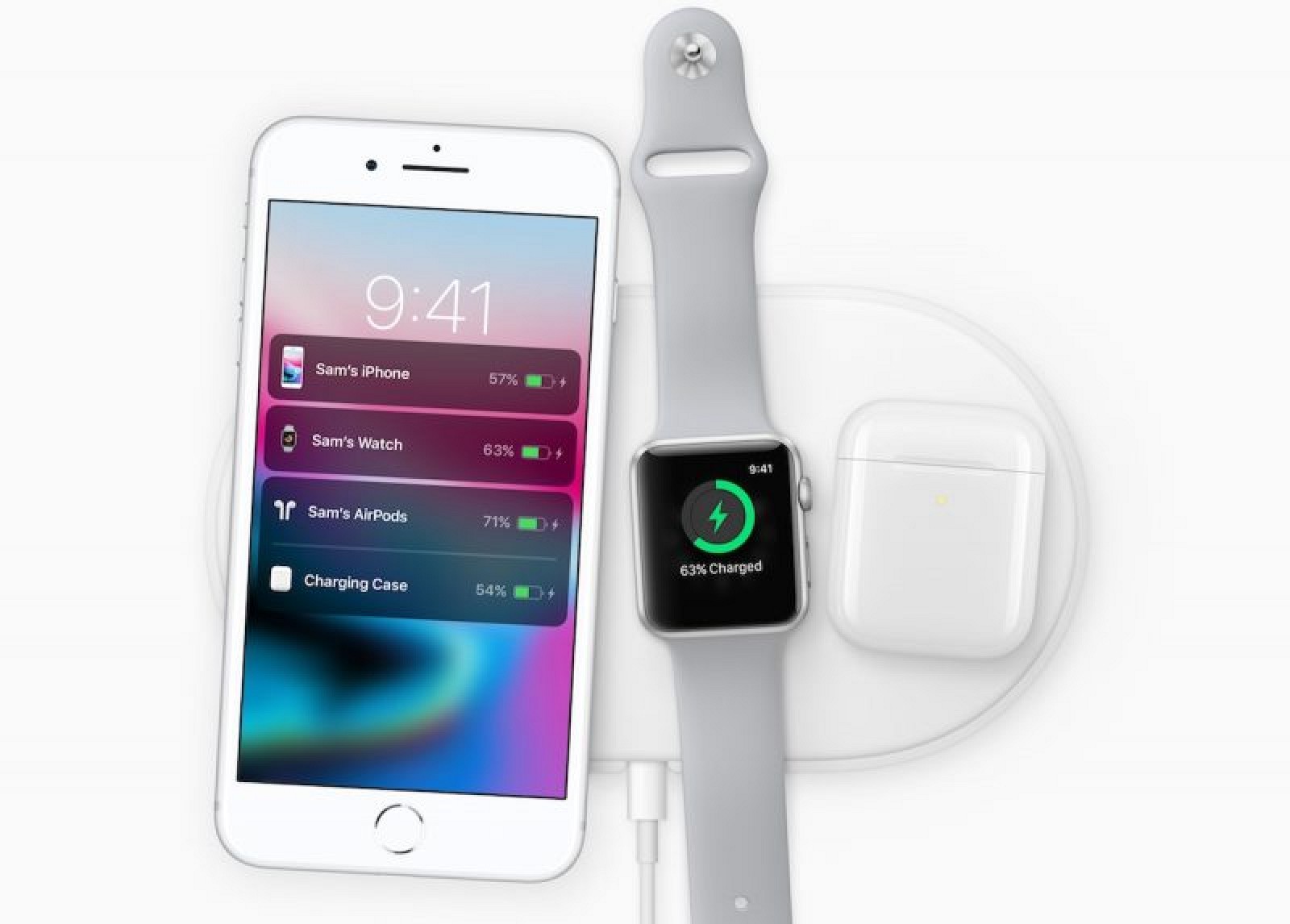
The AirPower charging mat will charge the iPhone X, the Apple Watch Series 3, and the AirPods in a new wireless AirPods case.
Rumors suggest the AirPower could debut in the next couple of weeks, with a launch expected before the end of March. Apple is planning an educational-focused event in March, where the AirPower could debut.
Cameras
Both the front and rear cameras in the iPhone X have been redesigned compared to the cameras in the iPhone 7, introducing some impressive new functionality and much improved picture taking capabilities.
TRUEDEPTH CAMERA
The 3D TrueDepth front-facing camera system is what powers Face ID with its included infrared camera and sensors, but there's also a high-quality 7-megapixel camera for taking selfies. The f/2.2 camera supports features like wide color capture, 1080p HD video recording, auto image stabilization, Retina Flash using the display, and auto HDR.
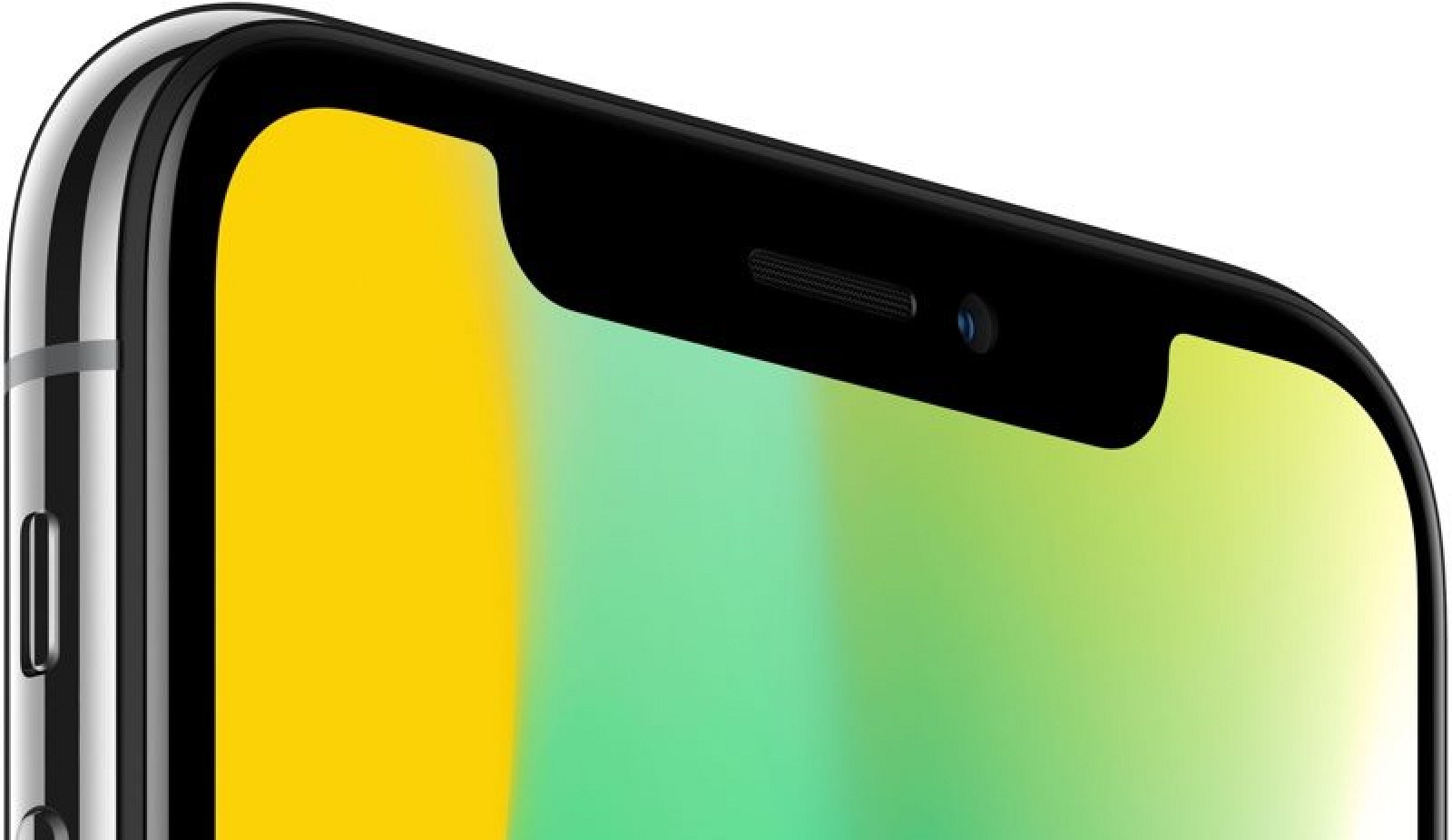
With the new 3D hardware in the TrueDepth camera, Apple has added Portrait Mode to the front-facing camera as well as the rear camera. With Portrait Mode, the front-facing cameras create a depth map of an image that allows for shallow depth-of-field effects to be applied to photos in real time, making the subject of a photo "pop" out of the background.
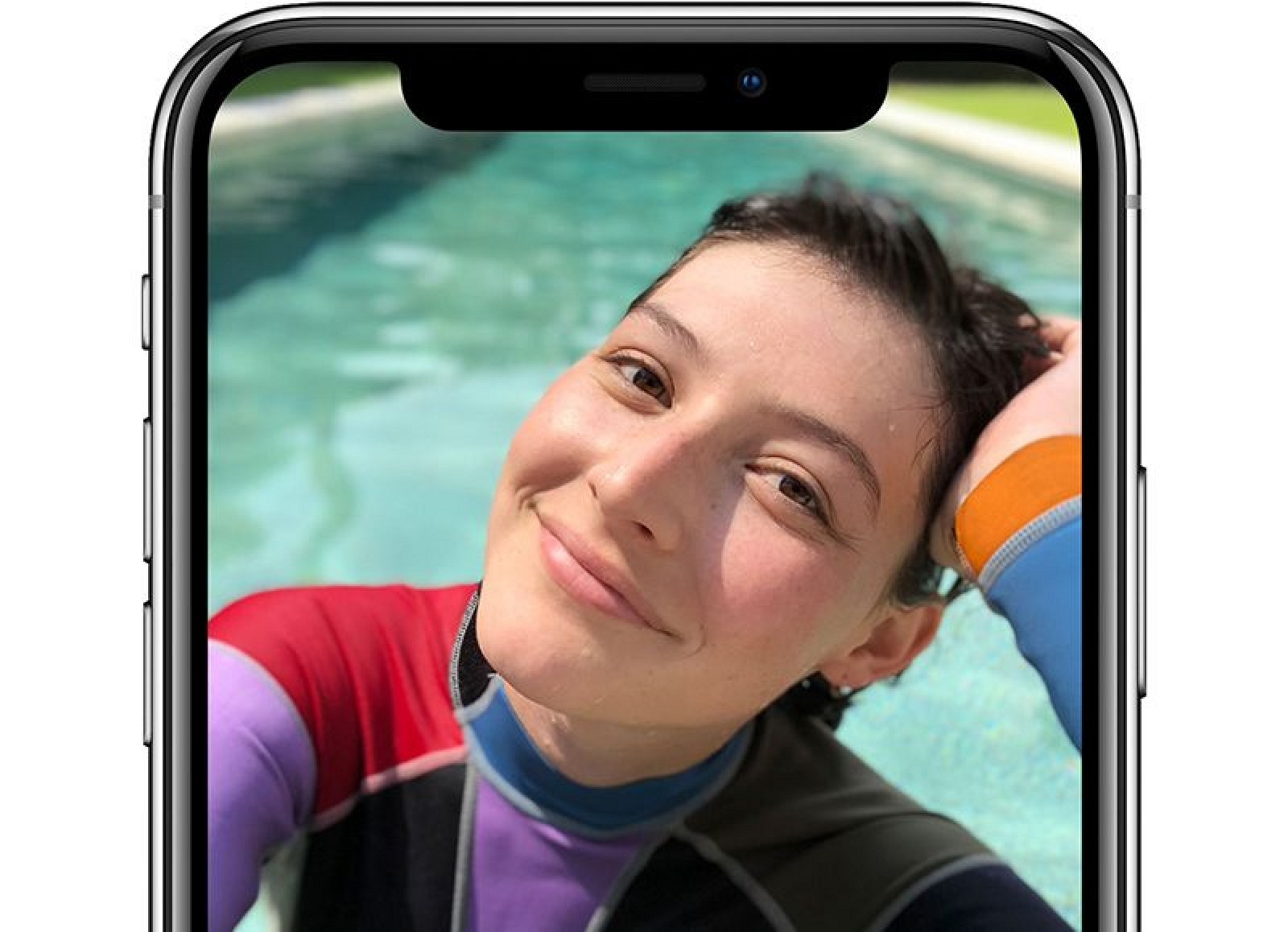
Shallow depth-of-field is normally a feature reserved for DSLRs, but Apple uses dual cameras, machine learning, and intensive software processing to mimic the effect.
ANIMOJI
The TrueDepth camera also enables a fun new feature called "Animoji," aka animated, 3D emoji characters that you control with your face. To create Animoji, the TrueDepth camera analyzes more than 50 muscle movements in different areas of the face, detecting movement of the eyebrows, cheeks, chin, eyes, jaw, lips, eyes, and mouth.

All of your facial movements are translated to the Animoji characters, making them reflect your expression and emotion. Animoji can be shared with friends in the Messages app as stickers and as videos, and you can even add your own voice to make them talk.
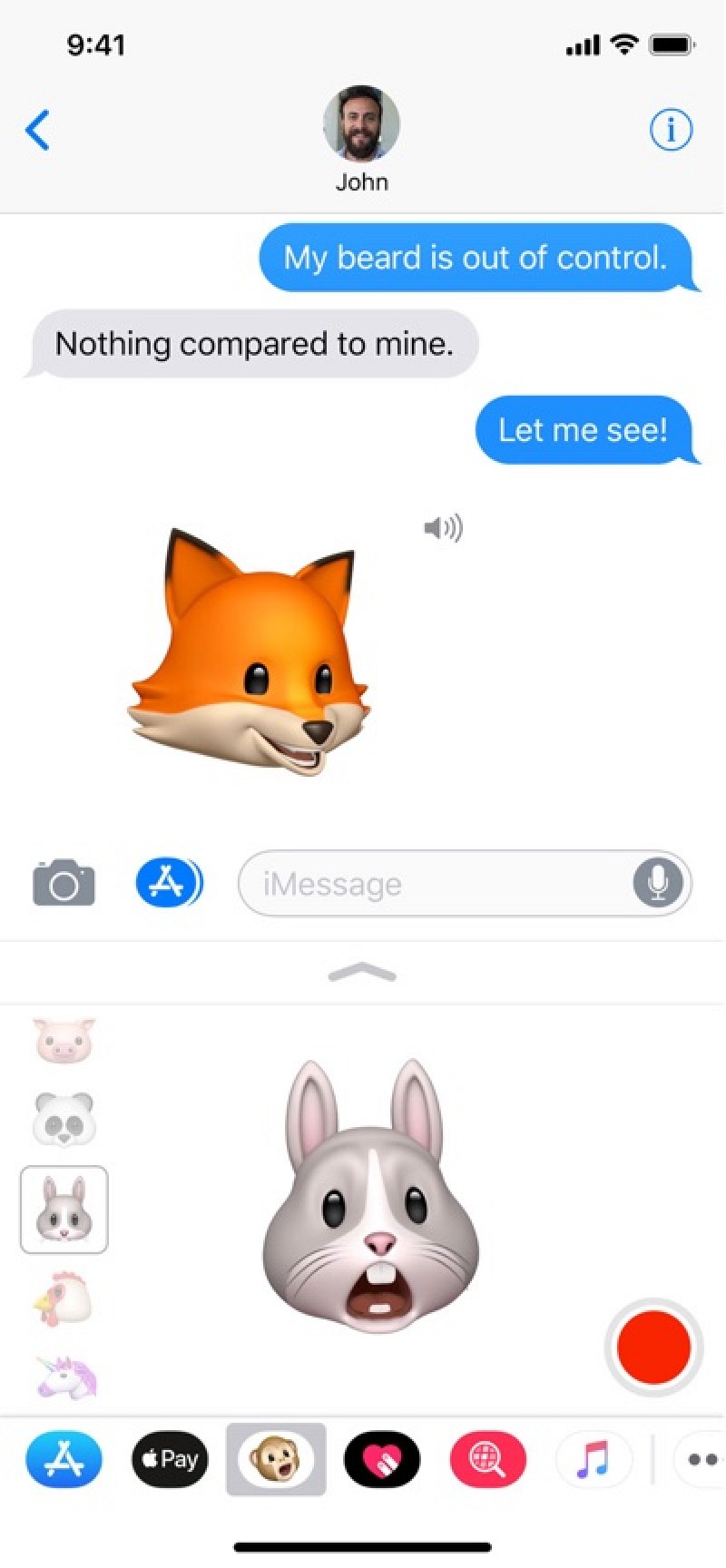
There are 12 different Animoji to choose from, modeled after existing emoji characters: monkey, robot, cat, dog, alien, fox, poop, pig, panda, rabbit, chicken, and unicorn.

REAR CAMERA
The rear iPhone X camera features a dual-lens arrangement in a vertical orientation, a first in an iPhone. There's a standard f/1.8 aperture 12-megapixel wide-angle lens, and a f/2.4 aperture 12-megapixel telephoto lens.
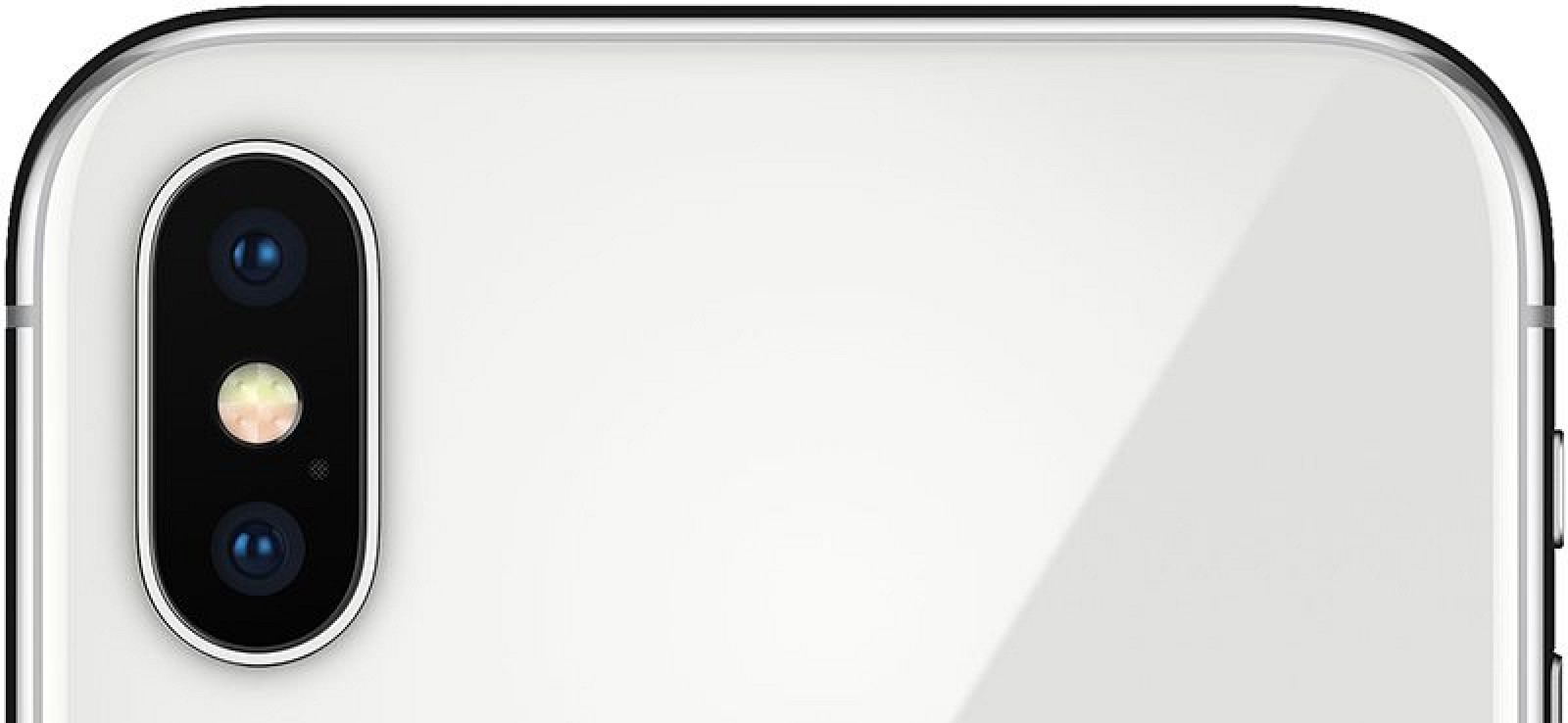
Apple is using an improved 12-megapixel sensor in the iPhone X, along with a new color filter and deeper pixels, but it's not really clear what Apple means by "deeper pixels."
The iPhone X features a new Apple-designed image signal processor that's able to better detect the elements in a scene, including people, motion, and lighting, to optimize photos before they're captured. The image signal processor also brings advanced pixel processing, wide color capture, faster autofocus, and improved HDR.

Most notably, the telephoto camera in the iPhone X now supports optical image stabilization, meaning both lenses support the feature for better photo quality and improved low light performance. Low light performance in the iPhone X's telephoto lens has shown significant improvement over the telephoto lens in the iPhone 7 Plus in testing.
Sandwiched between the two camera lenses is a Quad-LED True Tone Flash with a new Slow Sync feature that combines a slow shutter speed with a strobe pulse for a brighter foreground subject and properly exposed background in low lighting conditions.
The flash also delivers more uniform illumination for better performance all around.
PORTRAIT LIGHTING
Portrait Lighting is a new Portrait Mode feature that's available on both the front and rear-facing cameras in the iPhone X. Portrait Lighting is designed to let you add studio-quality effects to your images.

Apple says Portrait Lightning uses sophisticated algorithms to calculate how facial features interact with light, using the data to create unique lighting effects like Natural Light, Studio Light (lights up your face), Contour Light (adds dramatic shadows), Stage Light (spotlights your face against a dark background), and Stage Light Mono (Stage Light, but in black and white).
VIDEO CAPABILITIES
The iPhone X can capture 4K video at up to 60 frames per second, and 1080p slo-mo video at up to 240 frames per second. Advanced video stabilization techniques with larger sensor and the more powerful image signal processor add more stabilization to videos to reduce motion blur and shakiness.
Apple has added a new video encoder that's able to do real-time image processing for optimal quality, and there's native support for HEVC compression for the same video quality with smaller file sizes.
Battery Life
Thanks to efficiency improvements introduced with the A11 Bionic chip, the iPhone X lasts two hours longer than the previous-generation iPhone 7 or the new iPhone 8, but it falls just a bit short of the iPhone 7 Plus and the iPhone 8 Plus. The iPhone X uses a 2,716 mAh battery, which is much higher capacity than the 1,821 mAh battery in the iPhone 8.
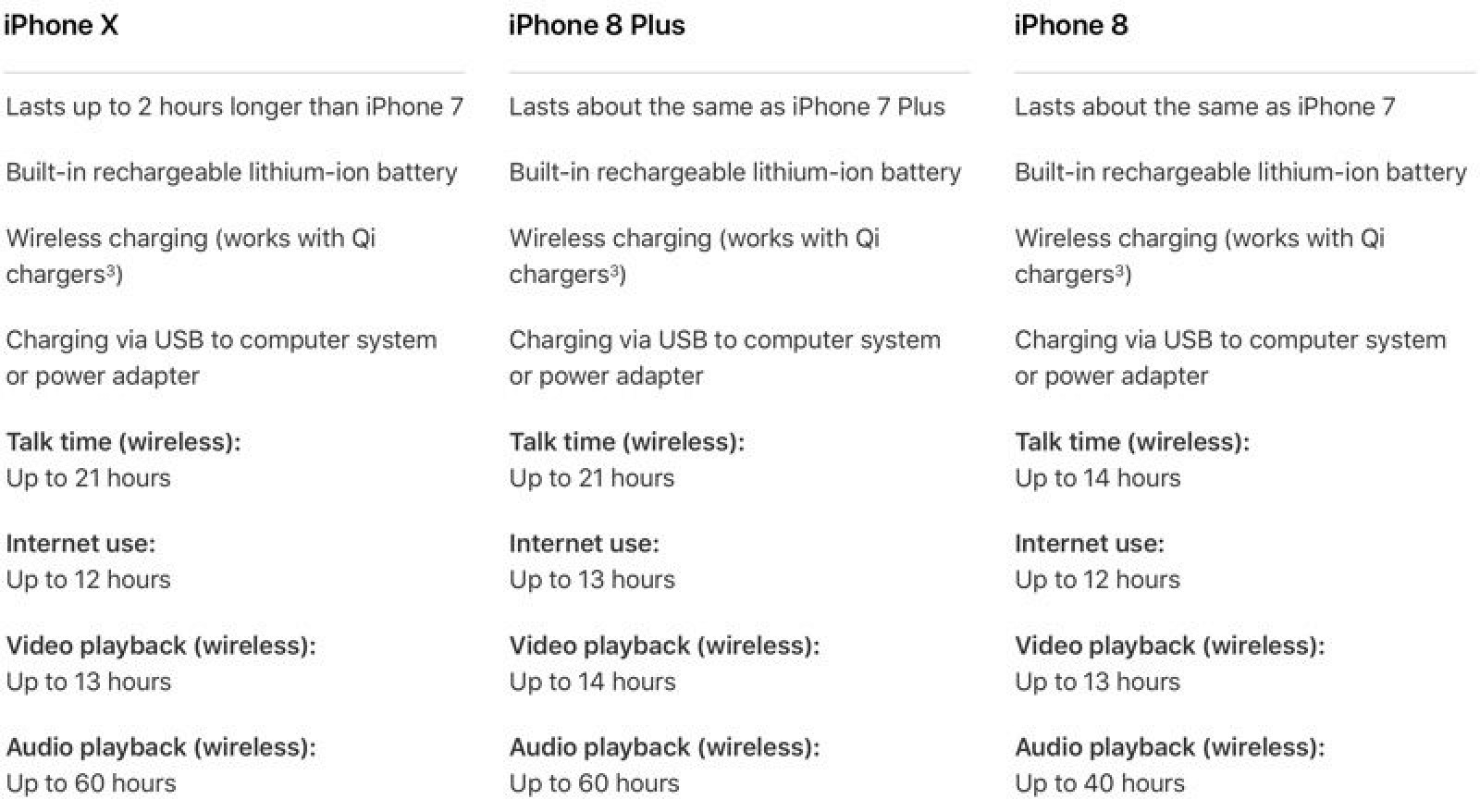
The iPhone X offers up to 21 hours of talk time, 12 hours of internet use, 13 hours of video playback, and 60 hours of audio playback.
The iPhone X features a two-cell battery in an L-shape design with a capacity of 2,716 mAh, slightly larger than the 2,675 mAh battery in the iPhone 8 Plus. The dual setup is what allows the device to have a longer battery life than the iPhone 8.
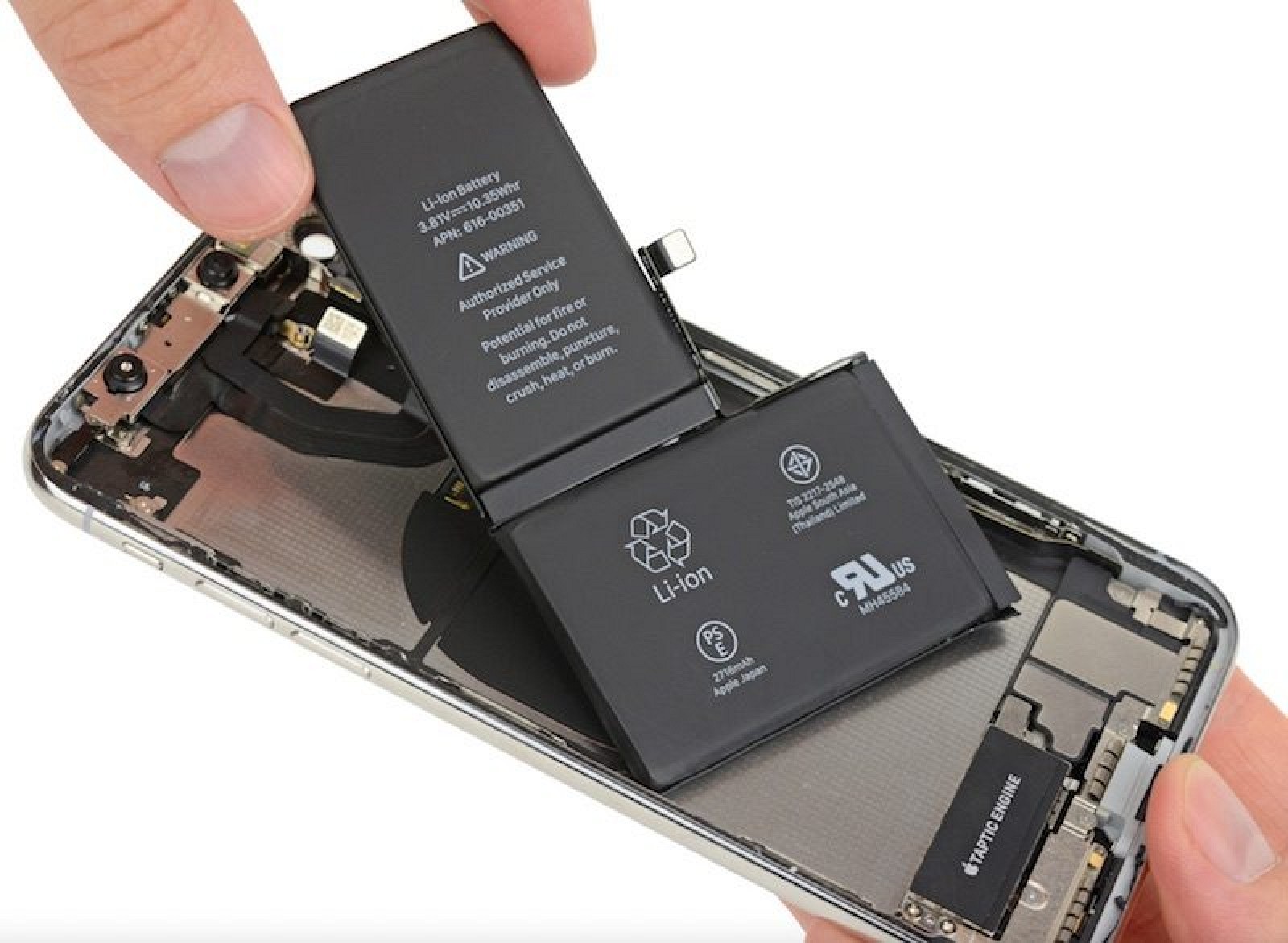
Image via iFixit
The iPhone 8, iPhone 8 Plus, and iPhone X use a "different performance management system" than older iPhones, which means any performance management features may be less noticeable on these devices.
According to Apple, the three devices use a more advanced hardware and software design that's better able to estimate power needs and battery performance, so in the future, they made not need the same processor-throttling performance management features implemented in older iPhones.
FAST CHARGING
The iPhone X is "fast-charge capable," which means it can be charged to 50 percent battery life in 30 minutes. Fast charging requires the iPhone X to be plugged into Apple's 29W, 61W, or 87W USB-C Power Adapters, which are sold alongside its USB-C MacBook and MacBook Pro models.
A USB-C to Lightning cable is also required to go along with the USB-C Power Adapter, and the minimum price for those accessories is $74.
Connectivity
LTE ADVANCED
The iPhone X features LTE advanced for data transfer speeds up to 450Mb/s. It offers support for more than 20 LTE bands, which makes it more likely to be able to work with networks in other countries when traveling.
As with the previous-generation iPhone 7 and the iPhone 7 Plus, Apple is using some chips that are not compatible with the CDMA networks of Verizon and Sprint in the United States.
T-Mobile and AT&T iPhones are not compatible with the Verizon and Sprint because they only work with GSM networks. Verizon and Sprint iPhones support both GSM and CDMA networks and are compatible with T-Mobile and AT&T.
Model A1865 supports GSM and CDMA and is designed for Sprint/Verizon, while Model A1901 does not support CDMA networks.
According to wireless signal testing, iPhone X models equipped with Qualcomm's Snapdragon X16 modem get consistently better LTE speeds than iPhone X models equipped with Intel's XMM7480 modem.
The speed difference is most noticeable in weak signal conditions, with the Qualcomm iPhone X experiencing 67 percent faster LTE download speeds on average compared to Intel models. Both the Intel and Qualcomm iPhone X models have peak theoretical download speeds of 600mb/s in most countries, however, and the difference in LTE chips is not a major issue in real world usage.
BLUETOOTH AND WI-FI
iPhone X supports the new Bluetooth 5.0 standard. Bluetooth 5.0 offers longer range, faster speeds, larger broadcast message capacity, and better interoperability with other wireless technologies.
Compared to Bluetooth 4.2, Bluetooth 5 offers four times the range, two times the speed, and eight times the broadcast message capacity.
802.11ac Wi-Fi with MIMO is supported, with support for connection speeds that can reach a theoretical maximum of 866Mb/s.
GPS AND NFC
In addition to the Global Positioning System operated by the U.S. government, the iPhone X adds support for Galileo, Europe's Global Satellite Navigation System, and QZSS, the Quasi-Zenith Satellite System used in Japan.
Galileo support in the iPhone X lets users to benefit from more precise positioning that's able to combine GPS, GLONASS, and Galileo signals. Galileo, says the agency, has a modern signal structure that's able to help users better maintain their position fix when navigating through cities worldwide.
As for NFC, there's a new NFC chip with a reader mode that lets the iPhone X read NFC tags in places like retail stores, museums, and more.
Beyond the iPhone X
The iPhone X will be followed by a second-generation 5.8-inch OLED iPhone (the size of the current iPhone X), a 6.5-inch OLED iPhone, and a 6.1-inch low-cost LCD iPhone in 2018. To read more about Apple's plans for the future of the iPhone, make sure to check out our 2018 iPhone roundup.
iPhone X Timeline